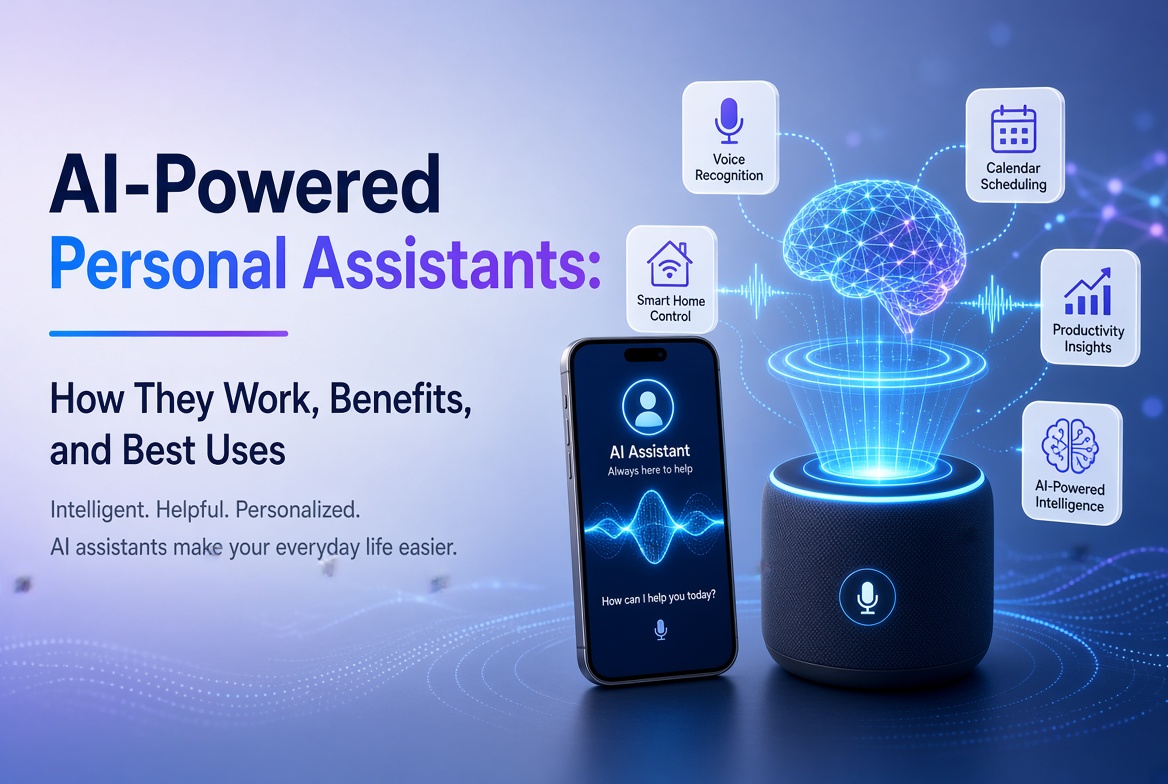
人工知能は専門技術から、人々が執筆、研究、学習、デザイン、コーディング、会議の整理、問題解決に利用する日常的なアプリへと移行しました。課題はもはやAIアプリを見つけることではありません。仕事に適したものを選ぶことです。
2026年の ベストAIアプリ に関するこのガイドでは、すべてのチャットボットを同等に扱うのではなく、いくつかの使用ケースにわたる実用的なツールを比較します。いくつかのアプリは優れた一般的なアシスタントであり、他のアプリはウェブ研究、出典に基づく学習、視覚コンテンツ、執筆、会議、または創造的な制作により適しています。
私たちの推奨は、有用性、ワークフロー適合、機能の深さ、使いやすさ、モバイル利用可能性、そして依然として合理的な人間のレビューが必要な結果を生み出す能力に焦点を当てています。機能やプランの制限は変更されることがあるため、購読前に提供者の現在のオファーを確認してください。
目次
- AIアプリとは?
- 一目で見るベストAIアプリ
- 1. ChatGPT
- 2. Google Gemini
- 3. Claude
- 4. Perplexity
- 5. Microsoft 365 Copilot
- 6. NotebookLM
- 7. Canva
- 8. Adobe Firefly
- 9. Grammarly
- 10. Otter.ai
- 最高のAIアプリを選ぶ方法
- 専門家のヒント
- よくある間違い
- よくある質問
- 結論
AIアプリとは?
AIアプリは、人工知能モデルを使用して指示を理解し、情報を分析し、コンテンツを生成し、タスクを自動化し、自然言語やその他の入力を通じてユーザーと対話するソフトウェアアプリケーションです。
現代のAIアプリは、単なるテキストだけでなく、さまざまな形式のデータに対応できます。製品によっては、ドキュメント、画像、音声、スプレッドシート、またはその他のファイルをアップロードできる場合があります。一部のアプリはウェブ検索を行ったり、生産性サービスと接続したり、画像や動画を生成したり、会議を要約したり、研究資料を学習リソースに変換したりすることもできます。
したがって、最も有用なAIアプリは必ずしも最も大きなモデルや機能の長いリストを持っているものではありません。それは、最小限の摩擦で特定の問題を解決するものです。
一目で見るベストAIアプリ
| AIアプリ | 最適 | 主要な強み | 理想的なユーザー |
|---|---|---|---|
| チャットGPT | 一般的なAI支援 | 広範なマルチモーダルワークフロー | ほぼすべての人 |
| Google Gemini | Googleエコシステム | 検索、アプリ、マルチモーダルヘルプ | Googleユーザー |
| Claude | 執筆と分析 | 強力な長文推論とドラフト作成 | 専門家と作家 |
| Perplexity | AI検索 | 引用付きのウェブリサーチ | 研究者と学生 |
| Microsoft 365 Copilot | オフィス生産性 | 職場のコンテンツおよびファイルワークフロー | Microsoft 365 ユーザー |
| ノートブックLM | ソースベースの研究 | 基盤となる回答と学習ツール | 学生と研究者 |
| Canva | デザインとソーシャルコンテンツ | AI支援のビジュアル作成 | クリエイターとマーケター |
| Adobe Firefly | 生成メディア | 画像と動画の生成/編集 | ビジュアルクリエイター |
| Grammarly | ライティング向上 | 編集、トーン及びコミュニケーションサポート | 作家と専門家 |
| Otter.ai | 会議とトランスクリプション | 録音、トランスクリプションと要約 | チームと学生 |
1. ChatGPT
最適:汎用AI支援。
ChatGPTは、単一のインターフェースから多様なワークフローをサポートできるため、最も強力な選択肢の一つです。ブレインストーミング、ライティング、要約、学習、コーディング、データ分析、計画、ドキュメント作業に使用できます。
その有用性は多様性から来ています。すべての小さなタスクに対して個別のアプリを維持する代わりに、多くのユーザーはアイデア出し、編集、分析、問題解決を1つの会話で行うことができます。最近のアプリの更新には、インタラクティブチャートや改善された長文ライティングワークフローが含まれており、分析的かつドキュメント重視の作業に便利な体験を提供しています。
ChatGPTが際立つ理由
- 強力な汎用対話支援。
- ライティング、コーディング、研究サポート、分析に便利。
- 現在のプランと機能の可用性に応じて、複数の入力タイプに対応しています。
- データをグラフに変換し、構造化された情報を解釈するのに役立ちます。
- 短い質問にも長期的なプロジェクトにも有用です。
最適な選択肢: 狭い範囲に特化したツールではなく、多くの異なるタスクを処理できるAIアシスタントが欲しい場合。
2. Google Gemini
最適な対象:Googleのエコシステム内で生活している人々。
Geminiは特にAndroidおよびGoogle Workspaceユーザーにとって魅力的です。モバイルアプリはテキスト、音声、写真、およびカメラを使用したインタラクションをサポートしています。可用性に応じて、Gmail、Google Drive、Maps、Flightsなどのサービスにも対応できます。
そのエコシステム統合が主な利点です。AIを別の目的地として扱うのではなく、Geminiは既に使用しているサービスに接続されたアシスタントのように機能します。
便利なGeminiの機能
- 執筆、ブレインストーミング、学習支援。
- 画像生成とマルチモーダルインタラクション。
- 選択されたGoogleサービスとの接続。
- 音声会話とAndroidアシスタンス。
- Google MapsおよびGoogle Flightsを含むタスクの計画支援。
Google自身が、Geminiが不正確な情報を生成する可能性があると警告しているため、重要な主張は自動的に受け入れるのではなく、確認するべきです。
最適な選択肢: あなたの日常のワークフローがすでにAndroid、Gmail、Drive、Maps、YouTube、または他のGoogleサービスに大きく依存している場合。
3. Claude
最適な対象:長文の執筆、分析、慎重な推論。
Claudeは、複雑な情報の草案作成、分析、整理、または詳細な指示の処理に多くの時間を費やすユーザーにとって強力な選択肢です。理由付けと執筆の質が短い回答を得ることよりも重要な場合に特に役立ちます。
Claudeが助けられる場所
- 長文の記事やレポート。
- 文書分析と要約。
- ブレインストーミングと構造化された問題解決。
- Code explanation and development support.
- Editing content for clarity, structure and tone.
As with every generative AI system, Claude can make factual mistakes. Treat it as an intelligent assistant, not an infallible authority.
最適な選択肢: your work involves substantial writing, analysis, or complex instructions.
4. Perplexity
Best for: Web research and answer-driven search.
Perplexity takes a different approach from a traditional chatbot. It is designed around AI-powered search, returning conversational answers with citations and links to sources. That makes it useful when you need to investigate a topic rather than simply generate text.
Its research-oriented workflow can reduce the time spent opening many search results just to establish the basics of a topic. Users can also explore more advanced search and research modes, depending on their plan.
研究者に好まれる理由
- Answers are designed around web search.
- Responses include citations and links for verification.
- Useful for discovering current information.
- Can support deeper research workflows.
- Provides access to different AI models in supported plans.
最適な選択肢: you regularly need current information and want citations close to the answer.
5. Microsoft 365 Copilot
Best for: Microsoft-based workplace productivity.
Microsoft 365 Copilot is built for people who already work with Microsoft productivity tools. The mobile and web experience can help users summarize information, create content, work with files, brainstorm, and use AI agents.
Its biggest advantage is workflow integration. For an organization already using Microsoft 365, an AI assistant that fits into the existing environment can be more valuable than a standalone chatbot.
良い使用例
- Summarizing workplace information.
- Drafting and improving business content.
- Working with files and documents.
- Brainstorming and planning.
- Using AI agents for repetitive productivity tasks.
最適な選択肢: your work revolves around Microsoft 365 and you want AI inside that ecosystem.
6. NotebookLM
Best for: Research, study and working from your own sources.
NotebookLM is one of the most distinctive AI research apps because it emphasizes source-grounded interaction. You can provide material such as PDFs, websites, YouTube videos, audio files, Google Docs, or Google Slides, then ask questions about the collected sources.
Google says NotebookLM provides inline citations and can transform source material into formats such as study guides, briefings, audio overviews, mind maps, flashcards, quizzes, infographics, and slide decks. The mobile app supports several of these workflows, although the company notes that the mobile experience does not yet contain every desktop feature.
NotebookLMが異なる理由
- Answers are grounded in the sources you provide.
- Citations make it easier to verify statements.
- Useful for studying and document-heavy research.
- Can turn source material into learning formats.
- Supports multiple source types.
最適な選択肢: you want an AI assistant that works primarily from a defined collection of documents and sources.
7. Canva
Best for: AI-assisted design, marketing and social media content.
Canva has evolved beyond a simple template-based design platform. Its AI features can help users turn prompts into designs, edit images, generate media, write copy, transform formats, and build content for different channels.
Canva’s 2026 AI direction is increasingly conversational and agentic. Canva AI 2.0 is designed to generate editable, layered designs from an idea or prompt and can coordinate workflows such as brand intelligence, web research, scheduling, connectors and Canva Code.
便利なCanvaのAIワークフロー
- Generate initial designs from prompts.
- Create and edit images with AI.
- Generate short visual content.
- Write and refine marketing copy.
- Resize and adapt content for multiple channels.
- Maintain brand consistency across designs.
最適な選択肢: you need social graphics, presentations, marketing materials or visual content without using complex professional design software.
8. Adobe Firefly
Best for: AI image and video creation.
Adobe Firefly is aimed at creators who want generative AI alongside professional creative workflows. Its mobile app supports image generation, video generation, prompt-based editing, generative fill and other AI-powered media features.
One advantage is its connection to Adobe’s broader creative ecosystem. Adobe also says the Firefly app can provide access to multiple AI models, allowing creators to choose among supported models for different creative tasks.
ベストFireflyの使用例
- Generate concept images from text prompts.
- Turn still images into video clips.
- Remove or replace objects.
- Change backgrounds using natural-language instructions.
- Create sound effects and other media assets.
最適な選択肢: visual content is central to your work and you want a mobile AI creation tool connected to a professional creative ecosystem.
9. Grammarly
Best for: Improving everyday writing and communication.
Grammarly is more focused than general chatbots. Its strength is helping people communicate clearly across emails, documents, messages and other writing environments. It can identify grammar and punctuation problems, suggest clearer wording, adjust tone, and rewrite paragraphs.
Grammarly has also expanded into broader AI assistance and agents. Its current features include tools for proofreading, paraphrasing, reader reactions, writing support and other communication tasks.
Grammarlyを使うべき人は誰か?
- Business professionals writing emails and reports.
- Students improving clarity and grammar.
- Freelancers communicating with clients.
- Content creators polishing drafts.
- Teams that need consistent communication quality.
最適な選択肢: your main goal is to make existing writing clearer, more professional and easier to understand.
10. Otter.ai
Best for: Meetings, interviews and transcription.
Otter.ai is designed around spoken information. Its mobile apps can record conversations and transcribe them, while Otter’s meeting assistant can help automate meeting notes, summaries and follow-up workflows.
This makes it especially useful when the problem is not generating information but capturing information that already happened. Students can use it for lectures where appropriate, while professionals can use it for meetings, interviews and discussions.
便利なOtterのワークフロー
- Record conversations on mobile.
- Transcribe meetings and interviews.
- Create summaries from captured discussions.
- Organize meeting information.
- Reduce the need for manual note-taking.
最適な選択肢: you regularly attend meetings or interviews and want AI to handle much of the note-taking process.
ニーズに最適なAIアプリを選ぶ方法
There is no universal winner. Start with the task you perform most often.
一般的な生産性のために
Choose ChatGPT or Gemini. Both can handle a wide range of questions, writing tasks, brainstorming and multimodal interactions. Gemini has a particularly strong case if you use Google’s ecosystem extensively.
研究のために
Choose Perplexity when you want web-based research with citations. Choose NotebookLM when your work depends on a defined set of documents and you want answers grounded in those sources.
執筆のために
Claude is a strong option for substantial drafting and analysis, while Grammarly is better suited to editing and improving writing inside everyday communication workflows.
デザインとコンテンツ作成のために
Canva is convenient for marketing graphics and multi-channel content. Adobe Firefly is more focused on generative visual media and AI-assisted creative production.
会議のために
Otter.ai is the more specialized choice because transcription and meeting capture are at the center of its workflow.
AIアプリからより良い結果を得るための専門家のヒント
- Define the outcome first. Tell the AI what a successful result should look like.
- Give context. Include your audience, goal, constraints, source material and preferred format.
- Use structured prompts. Ask for headings, tables, bullet points or a specific workflow when appropriate.
- Provide source material. For research-heavy tasks, give the model the documents or links it should prioritize.
- Iterate. Your first response is often a draft. Ask for refinement instead of starting from zero.
- Verify important claims. Check statistics, quotations, legal information, financial information and other high-impact facts.
- Protect sensitive data. Avoid uploading confidential business information, passwords, private customer records or other data unless you understand the app’s data controls.
- Measure time saved. The best AI app is the one that improves your workflow, not the one with the longest feature list.
避けるべき一般的なミス
人気だからアプリを選ぶ
Popularity does not guarantee that an app fits your workflow. A specialized transcription or research app can be more useful than a general chatbot for a specific task.
すべてのAIの答えを信じる
Generative AI can produce confident but incorrect statements. Citations, source checking and human judgment remain important.
AIアプリを使いすぎる
Subscribing to six or seven overlapping tools can create unnecessary costs and fragmented workflows. Start with one general assistant and add specialized apps only when they solve a clear problem.
プライバシー設定を無視する
Before uploading sensitive files, understand how the service stores, processes and protects your information. Business and enterprise plans may offer different controls from consumer plans.
編集せずにAI生成コンテンツを公開する
AI can accelerate content production, but it does not replace editorial judgment. Review facts, improve examples, add original insights and make sure the final work genuinely helps the reader.
ベストAIアプリに関するFAQ
1. 総合的に見て最良のAIアプリは何ですか?
For general-purpose use, ChatGPT is one of the strongest all-around choices because it supports a broad range of tasks. However, the best app depends on your needs. Gemini may be better for Google users, Perplexity for web research, and NotebookLM for source-based research.
2. 最良の無料AIアプリは何ですか?
Several leading AI apps offer free access with limits. ChatGPT, Gemini, Perplexity, Canva and Grammarly all provide ways to try AI features without immediately purchasing a premium plan. Free limits and features can change, so check the current provider terms.
3. 学生に最適なAIアプリはどれですか?
NotebookLM is particularly useful for students working from lecture notes, PDFs and other source material. Gemini and ChatGPT can also help explain concepts, brainstorm and create study materials. Students should use AI as a learning aid rather than a substitute for understanding the material.
4. 研究に最適なAIアプリはどれですか?
Perplexity is a strong choice for current web research because its answers include citations and links. NotebookLM is better when you want to research a defined collection of documents and ask questions about those sources.
5. 執筆に最適なAIアプリはどれですか?
Claude and ChatGPT are strong general writing assistants. Grammarly is particularly useful when your goal is to improve an existing draft, correct errors, refine tone or make communication clearer.
6. 画像生成に最適なAIアプリはどれですか?
Adobe Firefly is a strong choice for AI image and video creation, while Canva is convenient when you want to combine AI-generated visuals with layouts, presentations and social media designs.
7. AIアプリは人間の労働者に取って代わることができますか?
AI apps can automate parts of many jobs, but they do not reliably replace human judgment, accountability, domain expertise and communication. In practice, the strongest workflow often combines AI speed with human review and decision-making.
8. いくつかのAIアプリにお金を払うべきですか?
Only if each subscription provides a clear benefit. Start with one general AI assistant, then add specialized services when they save enough time or improve quality enough to justify their cost.
結論
The best AI apps in 2026 are not simply chatbots with different logos. They are becoming specialized workspaces for research, writing, design, meetings, productivity and creative production.
ChatGPT is a strong all-purpose assistant. Gemini is especially useful inside Google’s ecosystem. Claude is well suited to writing and analysis. Perplexity focuses on AI-powered web research. Microsoft 365 Copilot brings AI into workplace productivity. NotebookLM is excellent for source-grounded research and learning. Canva and Adobe Firefly cover visual creation, while Grammarly and Otter.ai solve more focused communication and meeting problems.
The smartest approach is to choose based on your workflow. Identify the task that consumes the most time, select the AI app that addresses it, and then measure the result. AI should reduce friction and improve the quality of your work, not simply add another subscription to your monthly expenses.
行動を呼びかける
Ready to improve your workflow with AI? Start with one app from this list, test it on a real task this week, and track how much time it saves. Once you know what works, add specialized AI tools only where they provide a measurable advantage.
Editorial note: AI features, pricing, availability and usage limits can change frequently. Always check the official provider documentation before making a purchasing or business decision.