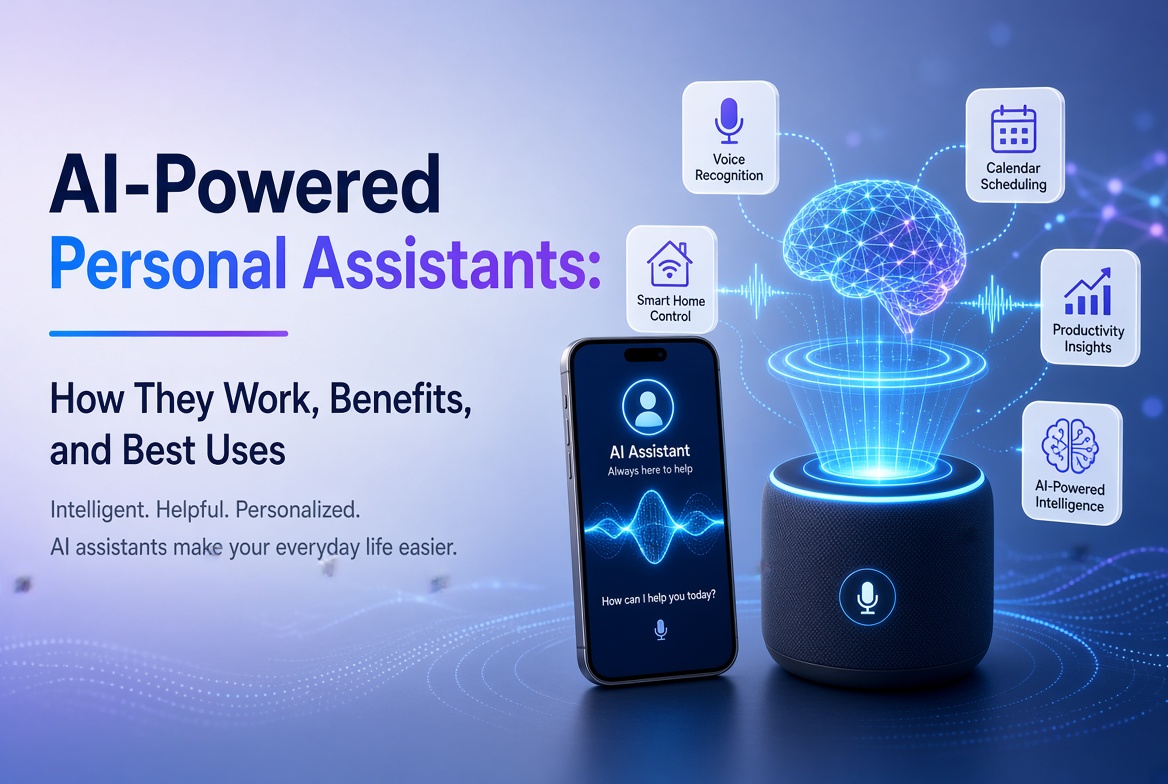
A inteligência artificial saiu de uma tecnologia especializada para aplicativos do dia a dia que as pessoas usam para escrever, pesquisar, estudar, projetar, codificar, organizar reuniões e resolver problemas. O desafio não é mais encontrar um aplicativo de IA. É escolher o certo para o trabalho.
Neste guia para os melhores aplicativos de IA em 2026, comparamos ferramentas práticas em vários casos de uso, em vez de tratar cada chatbot como intercambiável. Alguns aplicativos são excelentes assistentes gerais, enquanto outros são melhores para pesquisa na web, aprendizado baseado em fontes, conteúdo visual, escrita, reuniões ou produção criativa.
Nossas recomendações se concentram na utilidade, adequação ao fluxo de trabalho, profundidade de recursos, facilidade de uso, disponibilidade móvel e a capacidade de produzir resultados que ainda precisam de uma revisão humana sensata. Recursos e limites de planos podem mudar, então verifique a oferta atual do provedor antes de se inscrever.
Tabela de Conteúdos
- O que são aplicativos de IA?
- Principais aplicativos de IA em um relance
- 1. ChatGPT
- 2. Google Gemini
- 3. Claude
- 4. Perplexity
- 5. Microsoft 365 Copilot
- 6. NotebookLM
- 7. Canva
- 8. Adobe Firefly
- 9. Grammarly
- 10. Otter.ai
- Como Escolher o Melhor App de IA
- Dicas de Especialistas
- Erros Comuns
- Perguntas Frequentes
- Conclusão
O que são aplicativos de IA?
Os apps de IA são aplicações de software que utilizam modelos de inteligência artificial para entender instruções, analisar informações, gerar conteúdo, automatizar tarefas ou interagir com usuários através de linguagem natural e outros inputs.
Os apps modernos de IA podem trabalhar com mais do que apenas texto simples. Dependendo do produto, você pode ser capaz de carregar documentos, imagens, áudio, planilhas ou outros arquivos. Alguns apps também podem pesquisar na web, conectar-se a serviços de produtividade, gerar imagens e vídeos, resumir reuniões ou transformar material de pesquisa em recursos de aprendizado.
Portanto, o app de IA mais útil não é necessariamente aquele com o maior modelo ou a lista de recursos mais longa. É aquele que resolve seu problema particular com a menor resistência.
Principais aplicativos de IA em um relance
| App de IA | Melhor para | Principal força | Usuário ideal |
|---|---|---|---|
| ChatGPT | Assistência geral de IA | Fluxo de trabalho multimodal amplo | Quase todo mundo |
| Google Gemini | Ecossistema Google | Pesquisa, apps e ajuda multimodal | Usuários Google |
| Claude | Redação e análise | Raciocínio e elaboração forte em longo formato | Profissionais e escritores |
| Perplexidade | Pesquisa de IA | Pesquisa na web com citações | Pesquisadores e estudantes |
| Microsoft 365 Copilot | Produtividade no Office | Conteúdo e fluxos de trabalho de arquivos no local de trabalho | Usuários do Microsoft 365 |
| NotebookLM | Pesquisa baseada em fontes | Respostas fundamentadas e ferramentas de estudo | Estudantes e pesquisadores |
| Canva | Design e conteúdo social | Criação visual assistida por IA | Criadores e profissionais de marketing |
| Adobe Firefly | Mídia generativa | Geração/edição de imagens e vídeos | Criadores visuais |
| Grammarly | Melhoria de escrita | Edição, suporte de tom e comunicação | Escritores e profissionais |
| Otter.ai | Reuniões e transcrição | Gravação, transcrição e resumos | Equipes e estudantes |
1. ChatGPT
Melhor para: Assistência geral de IA.
O ChatGPT continua sendo uma das melhores opções versáteis porque pode apoiar muitos fluxos de trabalho diferentes a partir de uma única interface. Você pode usá-lo para brainstorming, escrita, sumarização, aprendizado, codificação, análise de dados, planejamento e trabalho com documentos.
Sua utilidade vem da versatilidade. Em vez de manter aplicativos separados para cada pequena tarefa, muitos usuários podem lidar com ideação, edição, análise e resolução de problemas em uma única conversa. Atualizações recentes do aplicativo também incluem gráficos interativos e fluxos de trabalho de escrita longos aprimorados, tornando a experiência mais útil para trabalho analítico e pesado em documentos.
Por que o ChatGPT se destaca
- Assistência conversacional geral forte.
- Útil para escrita, codificação, suporte à pesquisa e análise.
- Funciona com vários tipos de entrada, dependendo do plano atual e da disponibilidade de recursos.
- Pode transformar dados em gráficos e ajudar a interpretar informações estruturadas.
- Útil tanto para perguntas rápidas quanto para projetos mais longos.
Melhor escolha se: você quer um assistente de IA que possa lidar com muitas tarefas diferentes em vez de uma ferramenta com foco restrito.
2. Google Gemini
Melhor para: Pessoas que vivem dentro do ecossistema do Google.
O Gemini é especialmente atraente para usuários de Android e Google Workspace. O aplicativo móvel suporta interações por meio de texto, voz, fotos e câmera. Dependendo da disponibilidade, ele também pode funcionar com serviços como Gmail, Google Drive, Maps e Flights.
Essa integração com o ecossistema é sua maior vantagem. Em vez de tratar a IA como um destino separado, o Gemini pode agir mais como um assistente conectado aos serviços que você já usa.
Recursos úteis do Gemini
- Assistência em redação, brainstorming e aprendizado.
- Geração de imagens e interação multimodal.
- Conexões com serviços selecionados do Google.
- Conversas por voz e assistência para Android.
- Suporte para planejamento de tarefas envolvendo Google Maps e Google Flights.
O próprio Google avisa que o Gemini pode produzir informações imprecisas, portanto, afirmações importantes devem ser verificadas em vez de aceitas automaticamente.
Melhor escolha se: seu fluxo de trabalho diário já depende fortemente do Android, Gmail, Drive, Maps, YouTube ou outros serviços do Google.
3. Claude
Melhor para: Redação em longo formato, análise e raciocínio cuidadoso.
Claude é uma opção forte para usuários que passam muito tempo redigindo, analisando, organizando informações complexas ou seguindo instruções detalhadas. É particularmente útil quando a qualidade do raciocínio e da redação importa mais do que simplesmente obter uma resposta curta.
Onde o Claude pode ajudar
- Artigos e relatórios em longo formato.
- Análise de documentos e resumir conteúdos.
- Brainstorming e resolução estruturada de problemas.
- Explicação de código e suporte para desenvolvimento.
- Edição de conteúdo para clareza, estrutura e tom.
Como em todo sistema de IA generativa, Claude pode cometer erros factuais. Trate-o como um assistente inteligente, não como uma autoridade infalível.
Melhor escolha se: your work involves substantial writing, analysis, or complex instructions.
4. Perplexity
Best for: Web research and answer-driven search.
Perplexity takes a different approach from a traditional chatbot. It is designed around AI-powered search, returning conversational answers with citations and links to sources. That makes it useful when you need to investigate a topic rather than simply generate text.
Its research-oriented workflow can reduce the time spent opening many search results just to establish the basics of a topic. Users can also explore more advanced search and research modes, depending on their plan.
Por que os pesquisadores gostam
- Answers are designed around web search.
- Responses include citations and links for verification.
- Useful for discovering current information.
- Can support deeper research workflows.
- Provides access to different AI models in supported plans.
Melhor escolha se: you regularly need current information and want citations close to the answer.
5. Microsoft 365 Copilot
Best for: Microsoft-based workplace productivity.
Microsoft 365 Copilot is built for people who already work with Microsoft productivity tools. The mobile and web experience can help users summarize information, create content, work with files, brainstorm, and use AI agents.
Its biggest advantage is workflow integration. For an organization already using Microsoft 365, an AI assistant that fits into the existing environment can be more valuable than a standalone chatbot.
Casos de uso bons
- Summarizing workplace information.
- Drafting and improving business content.
- Working with files and documents.
- Brainstorming and planning.
- Using AI agents for repetitive productivity tasks.
Melhor escolha se: your work revolves around Microsoft 365 and you want AI inside that ecosystem.
6. NotebookLM
Best for: Research, study and working from your own sources.
NotebookLM is one of the most distinctive AI research apps because it emphasizes source-grounded interaction. You can provide material such as PDFs, websites, YouTube videos, audio files, Google Docs, or Google Slides, then ask questions about the collected sources.
Google says NotebookLM provides inline citations and can transform source material into formats such as study guides, briefings, audio overviews, mind maps, flashcards, quizzes, infographics, and slide decks. The mobile app supports several of these workflows, although the company notes that the mobile experience does not yet contain every desktop feature.
Por que o NotebookLM é diferente
- Answers are grounded in the sources you provide.
- Citations make it easier to verify statements.
- Useful for studying and document-heavy research.
- Can turn source material into learning formats.
- Supports multiple source types.
Melhor escolha se: you want an AI assistant that works primarily from a defined collection of documents and sources.
7. Canva
Best for: AI-assisted design, marketing and social media content.
Canva has evolved beyond a simple template-based design platform. Its AI features can help users turn prompts into designs, edit images, generate media, write copy, transform formats, and build content for different channels.
Canva’s 2026 AI direction is increasingly conversational and agentic. Canva AI 2.0 is designed to generate editable, layered designs from an idea or prompt and can coordinate workflows such as brand intelligence, web research, scheduling, connectors and Canva Code.
Fluxos de trabalho úteis do Canva com IA
- Generate initial designs from prompts.
- Create and edit images with AI.
- Generate short visual content.
- Write and refine marketing copy.
- Resize and adapt content for multiple channels.
- Maintain brand consistency across designs.
Melhor escolha se: you need social graphics, presentations, marketing materials or visual content without using complex professional design software.
8. Adobe Firefly
Best for: AI image and video creation.
Adobe Firefly is aimed at creators who want generative AI alongside professional creative workflows. Its mobile app supports image generation, video generation, prompt-based editing, generative fill and other AI-powered media features.
One advantage is its connection to Adobe’s broader creative ecosystem. Adobe also says the Firefly app can provide access to multiple AI models, allowing creators to choose among supported models for different creative tasks.
Melhores casos de uso do Firefly
- Generate concept images from text prompts.
- Turn still images into video clips.
- Remove or replace objects.
- Change backgrounds using natural-language instructions.
- Create sound effects and other media assets.
Melhor escolha se: visual content is central to your work and you want a mobile AI creation tool connected to a professional creative ecosystem.
9. Grammarly
Best for: Improving everyday writing and communication.
Grammarly is more focused than general chatbots. Its strength is helping people communicate clearly across emails, documents, messages and other writing environments. It can identify grammar and punctuation problems, suggest clearer wording, adjust tone, and rewrite paragraphs.
Grammarly has also expanded into broader AI assistance and agents. Its current features include tools for proofreading, paraphrasing, reader reactions, writing support and other communication tasks.
Quem deve usar o Grammarly?
- Business professionals writing emails and reports.
- Students improving clarity and grammar.
- Freelancers communicating with clients.
- Content creators polishing drafts.
- Teams that need consistent communication quality.
Melhor escolha se: your main goal is to make existing writing clearer, more professional and easier to understand.
10. Otter.ai
Best for: Meetings, interviews and transcription.
Otter.ai is designed around spoken information. Its mobile apps can record conversations and transcribe them, while Otter’s meeting assistant can help automate meeting notes, summaries and follow-up workflows.
This makes it especially useful when the problem is not generating information but capturing information that already happened. Students can use it for lectures where appropriate, while professionals can use it for meetings, interviews and discussions.
Fluxos de trabalho úteis do Otter
- Record conversations on mobile.
- Transcribe meetings and interviews.
- Create summaries from captured discussions.
- Organize meeting information.
- Reduce the need for manual note-taking.
Melhor escolha se: you regularly attend meetings or interviews and want AI to handle much of the note-taking process.
Como escolher o melhor aplicativo de IA para suas necessidades
There is no universal winner. Start with the task you perform most often.
Para produtividade geral
Choose ChatGPT or Gemini. Both can handle a wide range of questions, writing tasks, brainstorming and multimodal interactions. Gemini has a particularly strong case if you use Google’s ecosystem extensively.
Para pesquisa
Choose Perplexity when you want web-based research with citations. Choose NotebookLM when your work depends on a defined set of documents and you want answers grounded in those sources.
Para escrita
Claude is a strong option for substantial drafting and analysis, while Grammarly is better suited to editing and improving writing inside everyday communication workflows.
Para design e criação de conteúdo
Canva is convenient for marketing graphics and multi-channel content. Adobe Firefly is more focused on generative visual media and AI-assisted creative production.
Para reuniões
Otter.ai is the more specialized choice because transcription and meeting capture are at the center of its workflow.
Dicas de especialistas para obter melhores resultados com aplicativos de IA
- Define the outcome first. Tell the AI what a successful result should look like.
- Give context. Include your audience, goal, constraints, source material and preferred format.
- Use structured prompts. Ask for headings, tables, bullet points or a specific workflow when appropriate.
- Provide source material. For research-heavy tasks, give the model the documents or links it should prioritize.
- Iterate. Your first response is often a draft. Ask for refinement instead of starting from zero.
- Verify important claims. Check statistics, quotations, legal information, financial information and other high-impact facts.
- Protect sensitive data. Avoid uploading confidential business information, passwords, private customer records or other data unless you understand the app’s data controls.
- Measure time saved. The best AI app is the one that improves your workflow, not the one with the longest feature list.
Erros Comuns a Evitar
Escolhendo um aplicativo porque é popular
Popularity does not guarantee that an app fits your workflow. A specialized transcription or research app can be more useful than a general chatbot for a specific task.
Confiando em cada resposta da IA
Generative AI can produce confident but incorrect statements. Citations, source checking and human judgment remain important.
Usando muitos aplicativos de IA
Subscribing to six or seven overlapping tools can create unnecessary costs and fragmented workflows. Start with one general assistant and add specialized apps only when they solve a clear problem.
Ignorando configurações de privacidade
Before uploading sensitive files, understand how the service stores, processes and protects your information. Business and enterprise plans may offer different controls from consumer plans.
Publicando conteúdo gerado por IA sem edição
AI can accelerate content production, but it does not replace editorial judgment. Review facts, improve examples, add original insights and make sure the final work genuinely helps the reader.
Perguntas Frequentes sobre os Melhores Aplicativos de IA
1. Qual é o melhor aplicativo de IA no geral?
For general-purpose use, ChatGPT is one of the strongest all-around choices because it supports a broad range of tasks. However, the best app depends on your needs. Gemini may be better for Google users, Perplexity for web research, and NotebookLM for source-based research.
2. Qual é o melhor aplicativo de IA gratuito?
Several leading AI apps offer free access with limits. ChatGPT, Gemini, Perplexity, Canva and Grammarly all provide ways to try AI features without immediately purchasing a premium plan. Free limits and features can change, so check the current provider terms.
3. Qual aplicativo de IA é o melhor para estudantes?
NotebookLM is particularly useful for students working from lecture notes, PDFs and other source material. Gemini and ChatGPT can also help explain concepts, brainstorm and create study materials. Students should use AI as a learning aid rather than a substitute for understanding the material.
4. Qual aplicativo de IA é o melhor para pesquisa?
Perplexity is a strong choice for current web research because its answers include citations and links. NotebookLM is better when you want to research a defined collection of documents and ask questions about those sources.
5. Qual aplicativo de IA é o melhor para escrita?
Claude and ChatGPT are strong general writing assistants. Grammarly is particularly useful when your goal is to improve an existing draft, correct errors, refine tone or make communication clearer.
6. Qual aplicativo de IA é o melhor para geração de imagens?
Adobe Firefly is a strong choice for AI image and video creation, while Canva is convenient when you want to combine AI-generated visuals with layouts, presentations and social media designs.
7. Os aplicativos de IA podem substituir trabalhadores humanos?
AI apps can automate parts of many jobs, but they do not reliably replace human judgment, accountability, domain expertise and communication. In practice, the strongest workflow often combines AI speed with human review and decision-making.
8. Devo pagar por vários aplicativos de IA?
Only if each subscription provides a clear benefit. Start with one general AI assistant, then add specialized services when they save enough time or improve quality enough to justify their cost.
Conclusão
The best AI apps in 2026 are not simply chatbots with different logos. They are becoming specialized workspaces for research, writing, design, meetings, productivity and creative production.
ChatGPT is a strong all-purpose assistant. Gemini is especially useful inside Google’s ecosystem. Claude is well suited to writing and analysis. Perplexity focuses on AI-powered web research. Microsoft 365 Copilot brings AI into workplace productivity. NotebookLM is excellent for source-grounded research and learning. Canva and Adobe Firefly cover visual creation, while Grammarly and Otter.ai solve more focused communication and meeting problems.
The smartest approach is to choose based on your workflow. Identify the task that consumes the most time, select the AI app that addresses it, and then measure the result. AI should reduce friction and improve the quality of your work, not simply add another subscription to your monthly expenses.
Chamada para Ação
Ready to improve your workflow with AI? Start with one app from this list, test it on a real task this week, and track how much time it saves. Once you know what works, add specialized AI tools only where they provide a measurable advantage.
Editorial note: AI features, pricing, availability and usage limits can change frequently. Always check the official provider documentation before making a purchasing or business decision.