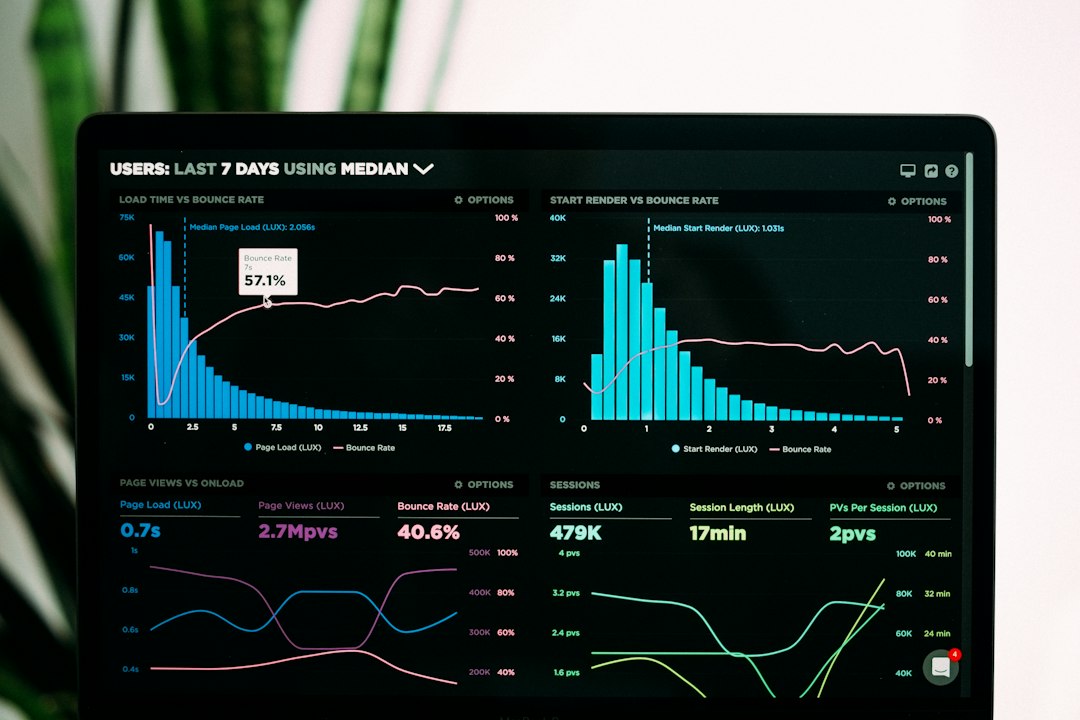

Google’s Core Web Vitals have fundamentally changed how developers and marketers approach technical website performance. No longer is speed measured solely by how fast a page loads in theory; it is now evaluated based on real user experiences. If your pages load sluggishly, shift unexpectedly while rendering, or take too long to respond to user input, your search rankings will suffer.
Optimizing for these metrics is no longer optional for anyone serious about organic visibility. This guide explores practical strategies to diagnose performance bottlenecks and improve your Core Web Vitals scores without completely rebuilding your website.
การเข้าใจเมตริก Core Web Vitals
Before implementing fixes, you must understand the three core metrics that make up the framework. Each metric measures a distinct aspect of user experience.
- Largest Contentful Paint (LCP): Measures loading performance. To provide a good user experience, LCP should occur within 2.5 seconds of the page starting to load.
- Interaction to Next Paint (INP): Measures responsiveness. It assesses how quickly a page responds to user interactions like clicks or taps. Good INP is 200 milliseconds or less.
- Cumulative Layout Shift (CLS): Measures visual stability. It quantifies how often users experience unexpected layout shifts while browsing. Good CLS is less than 0.1.
How to Audit Your Website Performance
You cannot fix what you do not measure. A reliable Core Web Vitals optimization workflow begins with gathering accurate field and lab data.
Field data reflects real-world experiences from actual users visiting your site via the Chrome User Experience Report (CrUX). Lab data, generated in a controlled environment, helps you debug specific performance issues during development.
Recommended Tools for Performance Auditing
- Google Search Console: Shows how your entire site performs grouped by URL status (Good, Needs Improvement, Poor).
- PageSpeed Insights: Combines lab and field data to provide actionable optimization recommendations for individual pages.
- Lighthouse: Built into Chrome DevTools for local debugging and performance auditing.
- WebPageTest: Offers advanced testing configurations, video captures, and detailed waterfall charts.
Proven Strategies to Improve LCP
Largest Contentful Paint is often hindered by slow server response times, render-blocking JavaScript and CSS, or large image files.
To improve LCP, start by upgrading your hosting infrastructure or implementing a reliable Content Delivery Network (CDN) to reduce Time to First Byte (TTFB). Next, optimize your images by compressing them and serving next-gen formats like WebP or AVIF. Ensure your hero images or above-the-fold banners are prioritized by the browser through proper resource hinting.
Enhancing Interactivity and INP
Interaction to Next Paint replaced First Input Delay (FID) to provide a more comprehensive measure of page responsiveness throughout its entire lifecycle.
Heavy JavaScript execution is the primary culprit behind poor INP scores. To resolve this:
- Break up long-running JavaScript tasks into smaller asynchronous chunks.
- Remove unused JavaScript and third-party scripts that block the main thread.
- Optimize event listeners to ensure they execute quickly without lagging user inputs.
Fixing Visual Stability Issues (CLS)
Unexpected layout shifts frustrate users—such as when an ad loads late and pushes an article down just as the user attempts to click a link.
You can prevent layout shifts by always including explicit width and height attribute dimensions on images, video elements, and ad containers. Additionally, avoid inserting dynamic content above existing content unless triggered directly by a user interaction, and use CSS font-loading strategies to prevent invisible text flashes.
Comparison of Performance Optimization Approaches
| วิธีการ | ดีที่สุดสำหรับ | Difficulty | ข้อดีหลัก |
|---|---|---|---|
| Plugin-Based Optimization | WordPress and CMS users with limited coding experience | ต่ำ | Quick setup and automated caching/minification |
| Code-Level Refactoring | Custom web applications and high-traffic sites | สูง | Maximum performance control and tailored solutions |
| CDN & Hosting Upgrade | All website types struggling with TTFB | ปานกลาง | Immediate server-side speed improvements |
เคล็ดลับจากผู้เชี่ยวชาญ
- Focus on mobile performance first, as Google evaluates Core Web Vitals primarily using mobile user data.
- Prioritize fixing pages with high traffic and poor metric ratings before optimizing low-value pages.
- Monitor your performance metrics continuously rather than treating optimization as a one-time project.
- Limit the use of heavy third-party plugins, chat widgets, and tracking scripts that degrade main-thread performance.
ข้อผิดพลาดทั่วไปที่ควรหลีกเลี่ยง
- Optimizing solely for lab scores while ignoring real-world field data in Search Console.
- Failing to set explicit dimensions for media elements, leading to severe layout shifts.
- Loading all JavaScript synchronously on page load without deferring non-essential scripts.
- Overlooking the impact of slow web hosting and inadequate caching configurations.
คำถามที่พบบ่อย
Core Web Vitals คืออะไร?
Core Web Vitals are a specific set of metrics established by Google that measure real-world user experience for loading speed, interactivity, and visual stability on web pages.
Why is LCP important for SEO?
LCP is a direct ranking factor in Google’s search algorithm. Faster loading pages provide better user experiences, which typically correlate with higher conversion rates and better search rankings.
How does INP differ from FID?
While First Input Delay only measured the delay of the very first user interaction, Interaction to Next Paint measures the latency of all interactions throughout the page visit, providing a holistic responsiveness score.
Can a WordPress plugin fix all Core Web Vitals issues?
Caching and optimization plugins can resolve many common issues like image compression and code minification, but deep architectural problems like heavy JavaScript often require developer intervention.
What is a good Cumulative Layout Shift score?
A CLS score of 0.1 or less is considered good. If your score exceeds 0.25, your page is considered poor and requires immediate layout stabilization.
How often does Google update Core Web Vitals data?
The field data shown in Search Console and PageSpeed Insights is based on a rolling 28-day historical dataset aggregated from real users.
Does hosting affect Core Web Vitals?
Yes. Poor server response times directly increase your Time to First Byte (TTFB), which negatively impacts your Largest Contentful Paint metric.
How can I check my site’s Core Web Vitals for free?
You can use free tools like Google PageSpeed Insights, Chrome DevTools, and the Core Web Vitals report inside Google Search Console to evaluate your pages.
บทสรุป
Core Web Vitals optimization is an ongoing technical discipline that directly impacts your search rankings and user satisfaction. By systematically auditing your LCP, INP, and CLS metrics, addressing performance bottlenecks, and maintaining clean code practices, you can deliver a fast, stable experience for every visitor. Start by running a PageSpeed Insights audit on your most important landing pages today and tackle the highest-priority issues first.