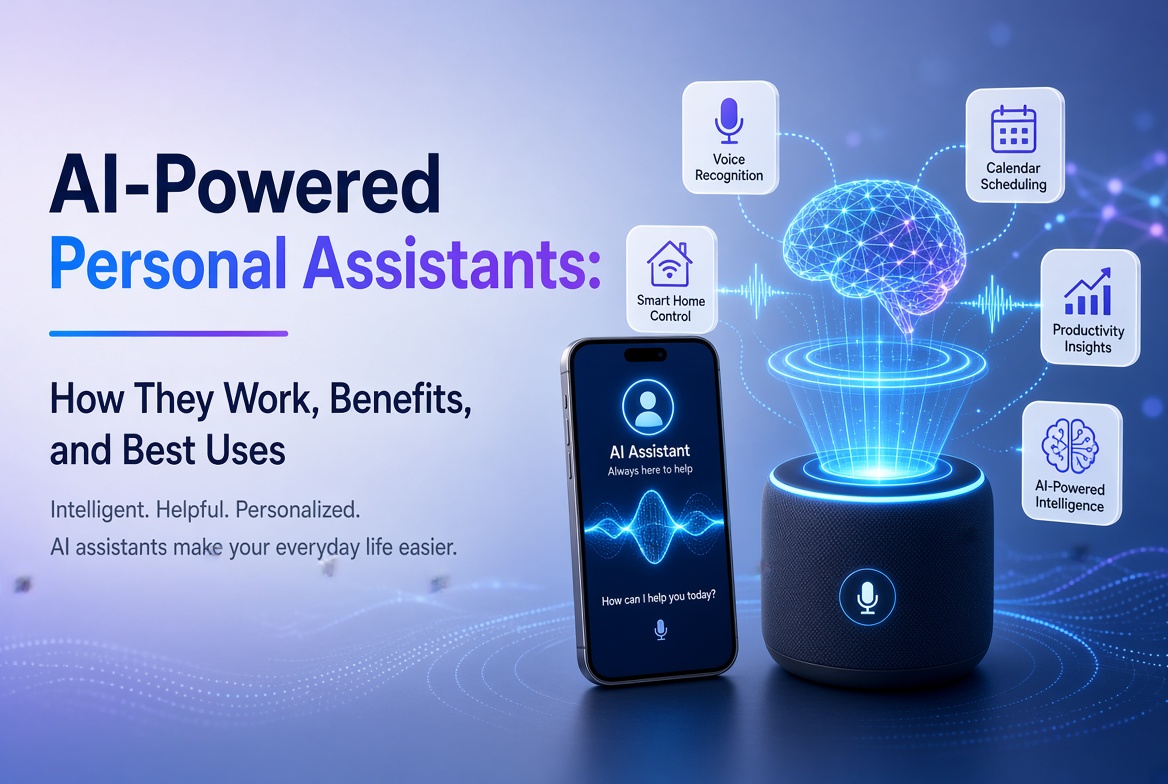
آرٹفیشل انٹیلی جنس اسپیشلسٹ ٹیکنالوجی سے نکل کر روزمرہ کی ایپس میں تبدیل ہو گئی ہے جنہیں لوگ لکھنے، تحقیق کرنے، مطالعہ کرنے، ڈیزائن کرنے، کوڈنگ کرنے، میٹنگز منظم کرنے اور مسائل حل کرنے کے لئے استعمال کرتے ہیں۔ چیلنج اب AI ایپ تلاش کرنا نہیں ہے۔ یہ صحیح ایپ کا انتخاب کرنا ہے جو کام کے لئے بہترین ہو۔
اس رہنما میں بہترین AI ایپس 2026 میں، ہم کئی استعمال کے معاملات میں عملی ٹولز کا موازنہ کرتے ہیں بجائے ہر چیٹ بوٹ کو ہر دوسرے کے مساوی سمجھنے کے۔ کچھ ایپس شاندار عمومی معاونت فراہم کرتی ہیں، جبکہ دیگر ویب تحقیق، ماخذ پر مبنی سیکھنے، بصری مواد، تحریر، میٹنگز یا تخلیقی پیداوار کے لئے بہتر ہیں۔
ہماری سفارشات افادیت، ورک فلو کی مطابقت، خصوصیات کی گہرائی، استعمال میں آسانی، موبائل دستیابی، اور ایسے نتائج پیدا کرنے کی صلاحیت پر مرکوز ہیں جو ابھی بھی معقول انسانی جائزے کی ضرورت رکھتے ہیں۔ خصوصیات اور منصوبے کی حدیں بدل سکتی ہیں، لہذا سبسکرپشن سے پہلے فراہم کنندہ کی موجودہ پیشکش کی جانچ کریں۔
مواد کی فہرست
- AI ایپس کیا ہیں؟
- بہترین AI ایپس کی ایک جھلک
- 1. ChatGPT
- 2. Google Gemini
- 3. Claude
- 4. Perplexity
- 5. Microsoft 365 Copilot
- 6. NotebookLM
- 7. Canva
- 8. Adobe Firefly
- 9. Grammarly
- 10. Otter.ai
- بہترین AI ایپ کا انتخاب کیسے کریں
- ماہر کے نکات
- عام غلطیاں
- عمومی سوالات
- نتیجہ
AI ایپس کیا ہیں؟
AI ایپس سافٹ ویئر ایپلی کیشنز ہیں جو مصنوعی ذہانت کے ماڈلز کا استعمال کرتے ہیں تاکہ ہدایات کو سمجھ سکیں، معلومات کا تجزیہ کر سکیں، مواد تیار کر سکیں، کاموں کو خودکار بنا سکیں، یا قدرتی زبان اور دیگر ان پٹ کے ذریعے صارفین سے بات چیت کر سکیں۔
جدید AI ایپس صرف سادہ متن کے ساتھ کام نہیں کر سکتی ہیں۔ مصنوعات کے لحاظ سے، آپ دستاویزات، تصاویر، آڈیو، اسپریڈشیٹس، یا دیگر فائلیں اپ لوڈ کرنے کے قابل ہو سکتے ہیں۔ کچھ ایپس ویب کو بھی تلاش کر سکتی ہیں، پیداوری خدمات کے ساتھ جڑ سکتی ہیں، تصاویر اور ویڈیوز بنا سکتی ہیں، میٹنگز کا خلاصہ بنا سکتی ہیں، یا تحقیق کے مواد کو سیکھنے کے وسائل میں تبدیل کر سکتی ہیں۔
سب سے فائدہ مند AI ایپ، اس لیے، لازمی طور پر سب سے بڑے ماڈل یا طویل ترین خصوصیات کی فہرست کے ساتھ نہیں ہوتی۔ یہ وہ ہے جو آپ کے خاص مسئلے کو کم رگڑ کے ساتھ حل کرتا ہے۔
بہترین AI ایپس کی ایک جھلک
| AI ایپ | کے لئے بہترین | اہم طاقت | مثالی صارف |
|---|---|---|---|
| ChatGPT | جنرل AI مدد | وسیع ملٹی موڈل ورک فلو | تقریباً ہر کوئی |
| گوگل جیمینی | گوگل کا ماحولیاتی نظام | تلاش، ایپس اور ملٹی موڈل مدد | گوگل کے صارفین |
| کلود | لکھائی اور تجزیہ | مضبوط طویل المدت استدلال اور ڈرافٹنگ | پیشہ ور اور لکھاری |
| پیرپلیکسٹی | AI تلاش | حوالہ جات کے ساتھ ویب تحقیق | تحقیقی اور طلباء |
| مائیکروسافٹ 365 کو پائلٹ | دفتر کی پیداواری صلاحیت | ورک پلیس مواد اور فائل ورک فلو | مائیکروسافٹ 365 کے صارفین |
| NotebookLM | ماخذ پر مبنی تحقیق | زمین سے جڑے جوابات اور مطالعے کے ٹولز | طلباء اور محققین |
| Canva | ڈیزائن اور سوشل مواد | AI کی مدد سے بصری تخلیق | تخلیق کار اور مارکیٹر |
| Adobe Firefly | جنریٹو میڈیا | تصویر اور ویڈیو بنانے/ترمیم کرنا | بصری تخلیق کار |
| Grammarly | لکھائی کی بہتری | ترمیم، لہجہ اور مواصلت کی مدد | لکھاری اور پیشہ ور |
| Otter.ai | میٹنگز اور نقل | ریکارڈنگ، نقل اور خلاصے | ٹیمز اور طلباء |
1. ChatGPT
بہترین: عمومی اے آئی مدد۔
ChatGPT ایک مضبوط تمام مقصدی انتخاب ہے کیونکہ یہ ایک ہی انٹرفیس سے مختلف ورک فلو کی حمایت کرسکتا ہے۔ آپ اسے خیالات کو جنم دینے، تحریر، خلاصہ، سیکھنے، کوڈنگ، ڈیٹا تجزیہ، منصوبہ بندی، اور دستاویزات کے کام کے لیے استعمال کرسکتے ہیں۔
اس کی افادیت ہر قسم کی فعالیت میں ہے۔ ہر چھوٹے کام کے لیے الگ الگ ایپس رکھنے کے بجائے، بہت سے صارفین تصور سازی، ترمیم، تجزیہ، اور مسئلے کے حل کو ایک گفتگو میں سنبھال سکتے ہیں۔ حالیہ ایپ اپ ڈیٹس میں انٹرایکٹو چارٹس اور بہتر طویل شکل کی تحریری ورک فلو بھی شامل ہیں، جو تجزیاتی اور دستاویزات سے بھرپور کام کے لیے تجربے کو مزید مفید بناتے ہیں۔
ChatGPT کیوں نمایاں ہے
- متوازن عمومی مقصد کی گفتگو کے لیے مددگار۔
- لکھائی، کوڈنگ، تحقیق کی مدد، اور تجزیہ کے لیے مفید۔
- موجودہ منصوبے اور خصوصیت کی دستیابی کے لحاظ سے متعدد ان پٹس کے اقسام کے ساتھ کام کرتا ہے۔
- ڈیٹا کو چارٹس میں تبدیل کر سکتا ہے اور ساختی معلومات کی تشریح میں مدد کر سکتا ہے۔
- جلدی سوالات اور طویل پروجیکٹس دونوں کے لیے مفید۔
بہترین انتخاب ہے اگر: آپ ایک AI اسسٹنٹ چاہتے ہیں جو کئی مختلف کاموں کو سنبھال سکے بجائے اس کے کہ ایک مخصوص ٹول ہو۔
2. Google Gemini
بہترین ہے: لوگ جو گوگل کے نظام میں رہتے ہیں۔
جمینی خاص طور پر اینڈروئیڈ اور گوگل ورک اسپیس صارفین کے لیے دلچسپ ہے۔ موبائل ایپ ٹیکسٹ، آواز، تصاویر، اور کیمرے پر مبنی بات چیت کی حمایت کرتی ہے۔ دستیابی کے مطابق، یہ جی میل، گوگل ڈرائیو، میپس، اور فلائٹس جیسی خدمات کے ساتھ بھی کام کر سکتی ہے۔
یہ نظام کی انٹیگریشن اس کا بڑا فائدہ ہے۔ AI کو ایک علیحدہ منزل کے طور پر سمجھنے کے بجائے، جمینی اسسٹنٹ کی طرح کام کر سکتی ہے جو آپ کی استعمال کی جانے والی خدمات سے جڑی ہوئی ہے۔
مفید Gemini کی خصوصیات
- لکھائی، خیالات اور سیکھنے کی مدد۔
- تصویری تخلیق اور کثیر ماڈل تعامل۔
- منتخب کردہ گوگل خدمات سے کنکشن۔
- آواز کی گفتگو اور اینڈروئیڈ کی مدد۔
- گوگل میپس اور گوگل فلائٹس کے ساتھ منصوبہ بندی کے کاموں کی حمایت۔
گوگل خود خبردار کرتا ہے کہ جمینی غلط معلومات پیدا کر سکتا ہے، لہذا اہم دعووں کی تصدیق کرنی چاہیے نہ کہ خود بخود قبول کرنا چاہیے۔
بہترین انتخاب ہے اگر: آپ کا روزانہ کا کام پہلے ہی اینڈروئیڈ، جی میل، ڈرائیو، میپس، یوٹیوب، یا دیگر گوگل خدمات پر بہت زیادہ منحصر ہے۔
3. Claude
بہترین ہے: طویل شکل کی تحریر، تجزیہ اور محتاط استدلال۔
کلاڈ ان صارفین کے لیے ایک مضبوط اختیار ہے جو بہت زیادہ وقت تخلیق، تجزیہ، پیچیدہ معلومات کو منظم کرنے، یا تفصیلی ہدایات پر کام کرنے میں گزارتے ہیں۔ یہ خاص طور پر اس وقت مفید ہے جب تجزیے اور تحریر کے معیار کا ہونا مختصر جواب حاصل کرنے سے زیادہ اہم ہے۔
Claude کس طرح مدد کر سکتا ہے
- Long-form articles and reports.
- Document analysis and summarization.
- Brainstorming and structured problem solving.
- Code explanation and development support.
- Editing content for clarity, structure and tone.
As with every generative AI system, Claude can make factual mistakes. Treat it as an intelligent assistant, not an infallible authority.
بہترین انتخاب ہے اگر: your work involves substantial writing, analysis, or complex instructions.
4. Perplexity
Best for: Web research and answer-driven search.
Perplexity takes a different approach from a traditional chatbot. It is designed around AI-powered search, returning conversational answers with citations and links to sources. That makes it useful when you need to investigate a topic rather than simply generate text.
Its research-oriented workflow can reduce the time spent opening many search results just to establish the basics of a topic. Users can also explore more advanced search and research modes, depending on their plan.
تحقیقات کرنے والوں کو یہ کیوں پسند ہے
- Answers are designed around web search.
- Responses include citations and links for verification.
- Useful for discovering current information.
- Can support deeper research workflows.
- Provides access to different AI models in supported plans.
بہترین انتخاب ہے اگر: you regularly need current information and want citations close to the answer.
5. Microsoft 365 Copilot
Best for: Microsoft-based workplace productivity.
Microsoft 365 Copilot is built for people who already work with Microsoft productivity tools. The mobile and web experience can help users summarize information, create content, work with files, brainstorm, and use AI agents.
Its biggest advantage is workflow integration. For an organization already using Microsoft 365, an AI assistant that fits into the existing environment can be more valuable than a standalone chatbot.
اچھے استعمال کے کیسز
- Summarizing workplace information.
- Drafting and improving business content.
- Working with files and documents.
- Brainstorming and planning.
- Using AI agents for repetitive productivity tasks.
بہترین انتخاب ہے اگر: your work revolves around Microsoft 365 and you want AI inside that ecosystem.
6. NotebookLM
Best for: Research, study and working from your own sources.
NotebookLM is one of the most distinctive AI research apps because it emphasizes source-grounded interaction. You can provide material such as PDFs, websites, YouTube videos, audio files, Google Docs, or Google Slides, then ask questions about the collected sources.
Google says NotebookLM provides inline citations and can transform source material into formats such as study guides, briefings, audio overviews, mind maps, flashcards, quizzes, infographics, and slide decks. The mobile app supports several of these workflows, although the company notes that the mobile experience does not yet contain every desktop feature.
NotebookLM کیوں مختلف ہے
- Answers are grounded in the sources you provide.
- Citations make it easier to verify statements.
- Useful for studying and document-heavy research.
- Can turn source material into learning formats.
- Supports multiple source types.
بہترین انتخاب ہے اگر: you want an AI assistant that works primarily from a defined collection of documents and sources.
7. Canva
Best for: AI-assisted design, marketing and social media content.
Canva has evolved beyond a simple template-based design platform. Its AI features can help users turn prompts into designs, edit images, generate media, write copy, transform formats, and build content for different channels.
Canva’s 2026 AI direction is increasingly conversational and agentic. Canva AI 2.0 is designed to generate editable, layered designs from an idea or prompt and can coordinate workflows such as brand intelligence, web research, scheduling, connectors and Canva Code.
مفید Canva AI ورک فلو
- Generate initial designs from prompts.
- Create and edit images with AI.
- Generate short visual content.
- Write and refine marketing copy.
- Resize and adapt content for multiple channels.
- Maintain brand consistency across designs.
بہترین انتخاب ہے اگر: you need social graphics, presentations, marketing materials or visual content without using complex professional design software.
8. Adobe Firefly
Best for: AI image and video creation.
Adobe Firefly is aimed at creators who want generative AI alongside professional creative workflows. Its mobile app supports image generation, video generation, prompt-based editing, generative fill and other AI-powered media features.
One advantage is its connection to Adobe’s broader creative ecosystem. Adobe also says the Firefly app can provide access to multiple AI models, allowing creators to choose among supported models for different creative tasks.
بہترین Firefly استعمال کے کیسز
- Generate concept images from text prompts.
- Turn still images into video clips.
- Remove or replace objects.
- Change backgrounds using natural-language instructions.
- Create sound effects and other media assets.
بہترین انتخاب ہے اگر: visual content is central to your work and you want a mobile AI creation tool connected to a professional creative ecosystem.
9. Grammarly
Best for: Improving everyday writing and communication.
Grammarly is more focused than general chatbots. Its strength is helping people communicate clearly across emails, documents, messages and other writing environments. It can identify grammar and punctuation problems, suggest clearer wording, adjust tone, and rewrite paragraphs.
Grammarly has also expanded into broader AI assistance and agents. Its current features include tools for proofreading, paraphrasing, reader reactions, writing support and other communication tasks.
Grammarly کس کو استعمال کرنی چاہیے؟
- Business professionals writing emails and reports.
- Students improving clarity and grammar.
- Freelancers communicating with clients.
- Content creators polishing drafts.
- Teams that need consistent communication quality.
بہترین انتخاب ہے اگر: your main goal is to make existing writing clearer, more professional and easier to understand.
10. Otter.ai
Best for: Meetings, interviews and transcription.
Otter.ai is designed around spoken information. Its mobile apps can record conversations and transcribe them, while Otter’s meeting assistant can help automate meeting notes, summaries and follow-up workflows.
This makes it especially useful when the problem is not generating information but capturing information that already happened. Students can use it for lectures where appropriate, while professionals can use it for meetings, interviews and discussions.
مفید Otter ورک فلو
- Record conversations on mobile.
- Transcribe meetings and interviews.
- Create summaries from captured discussions.
- Organize meeting information.
- Reduce the need for manual note-taking.
بہترین انتخاب ہے اگر: you regularly attend meetings or interviews and want AI to handle much of the note-taking process.
اپنی ضروریات کے لئے بہترین AI ایپ کا انتخاب کیسے کریں
There is no universal winner. Start with the task you perform most often.
عام پیداواری کے لئے
Choose ChatGPT or Gemini. Both can handle a wide range of questions, writing tasks, brainstorming and multimodal interactions. Gemini has a particularly strong case if you use Google’s ecosystem extensively.
تحقیق کے لئے
Choose Perplexity when you want web-based research with citations. Choose NotebookLM when your work depends on a defined set of documents and you want answers grounded in those sources.
تحریر کے لئے
Claude is a strong option for substantial drafting and analysis, while Grammarly is better suited to editing and improving writing inside everyday communication workflows.
ڈیزائن اور مواد تخلیق کے لئے
Canva is convenient for marketing graphics and multi-channel content. Adobe Firefly is more focused on generative visual media and AI-assisted creative production.
میٹنگز کے لئے
Otter.ai is the more specialized choice because transcription and meeting capture are at the center of its workflow.
AI ایپس سے بہتر نتائج حاصل کرنے کے لئے ماہر کے نکات
- Define the outcome first. Tell the AI what a successful result should look like.
- Give context. Include your audience, goal, constraints, source material and preferred format.
- Use structured prompts. Ask for headings, tables, bullet points or a specific workflow when appropriate.
- Provide source material. For research-heavy tasks, give the model the documents or links it should prioritize.
- Iterate. Your first response is often a draft. Ask for refinement instead of starting from zero.
- Verify important claims. Check statistics, quotations, legal information, financial information and other high-impact facts.
- Protect sensitive data. Avoid uploading confidential business information, passwords, private customer records or other data unless you understand the app’s data controls.
- Measure time saved. The best AI app is the one that improves your workflow, not the one with the longest feature list.
بچنے کے لیے عام غلطیاں
کسی ایپ کو اس کی مقبولیت کی بنیاد پر منتخب کرنا
Popularity does not guarantee that an app fits your workflow. A specialized transcription or research app can be more useful than a general chatbot for a specific task.
ہر AI جواب پر بھروسہ کرنا
Generative AI can produce confident but incorrect statements. Citations, source checking and human judgment remain important.
بہت زیادہ AI ایپس کا استعمال کرنا
Subscribing to six or seven overlapping tools can create unnecessary costs and fragmented workflows. Start with one general assistant and add specialized apps only when they solve a clear problem.
نجی معلومات کی ترتیبات نظرانداز کرنا
Before uploading sensitive files, understand how the service stores, processes and protects your information. Business and enterprise plans may offer different controls from consumer plans.
AI کے ذریعے تیار کردہ مواد کی درستگی کے بغیر اشاعت کرنا
AI can accelerate content production, but it does not replace editorial judgment. Review facts, improve examples, add original insights and make sure the final work genuinely helps the reader.
بہترین AI ایپس کے بارے میں عام سوالات
1. مجموعی طور پر بہترین AI ایپ کیا ہے؟
For general-purpose use, ChatGPT is one of the strongest all-around choices because it supports a broad range of tasks. However, the best app depends on your needs. Gemini may be better for Google users, Perplexity for web research, and NotebookLM for source-based research.
2. بہترین مفت AI ایپ کون سی ہے؟
Several leading AI apps offer free access with limits. ChatGPT, Gemini, Perplexity, Canva and Grammarly all provide ways to try AI features without immediately purchasing a premium plan. Free limits and features can change, so check the current provider terms.
3. طلبہ کے لئے بہترین AI ایپ کون سی ہے؟
NotebookLM is particularly useful for students working from lecture notes, PDFs and other source material. Gemini and ChatGPT can also help explain concepts, brainstorm and create study materials. Students should use AI as a learning aid rather than a substitute for understanding the material.
4. تحقیق کے لئے بہترین AI ایپ کون سی ہے؟
Perplexity is a strong choice for current web research because its answers include citations and links. NotebookLM is better when you want to research a defined collection of documents and ask questions about those sources.
5. تحریر کے لئے بہترین AI ایپ کون سی ہے؟
Claude and ChatGPT are strong general writing assistants. Grammarly is particularly useful when your goal is to improve an existing draft, correct errors, refine tone or make communication clearer.
6. امیج جنریشن کے لئے بہترین AI ایپ کون سی ہے؟
Adobe Firefly is a strong choice for AI image and video creation, while Canva is convenient when you want to combine AI-generated visuals with layouts, presentations and social media designs.
7. کیا AI ایپس انسانی ملازمین کی جگہ لے سکتی ہیں؟
AI apps can automate parts of many jobs, but they do not reliably replace human judgment, accountability, domain expertise and communication. In practice, the strongest workflow often combines AI speed with human review and decision-making.
8. کیا مجھے کئی AI ایپس کے لئے ادائیگی کرنی چاہئے؟
Only if each subscription provides a clear benefit. Start with one general AI assistant, then add specialized services when they save enough time or improve quality enough to justify their cost.
نتیجہ
The best AI apps in 2026 are not simply chatbots with different logos. They are becoming specialized workspaces for research, writing, design, meetings, productivity and creative production.
ChatGPT is a strong all-purpose assistant. Gemini is especially useful inside Google’s ecosystem. Claude is well suited to writing and analysis. Perplexity focuses on AI-powered web research. Microsoft 365 Copilot brings AI into workplace productivity. NotebookLM is excellent for source-grounded research and learning. Canva and Adobe Firefly cover visual creation, while Grammarly and Otter.ai solve more focused communication and meeting problems.
The smartest approach is to choose based on your workflow. Identify the task that consumes the most time, select the AI app that addresses it, and then measure the result. AI should reduce friction and improve the quality of your work, not simply add another subscription to your monthly expenses.
عملی اقدام
Ready to improve your workflow with AI? Start with one app from this list, test it on a real task this week, and track how much time it saves. Once you know what works, add specialized AI tools only where they provide a measurable advantage.
Editorial note: AI features, pricing, availability and usage limits can change frequently. Always check the official provider documentation before making a purchasing or business decision.