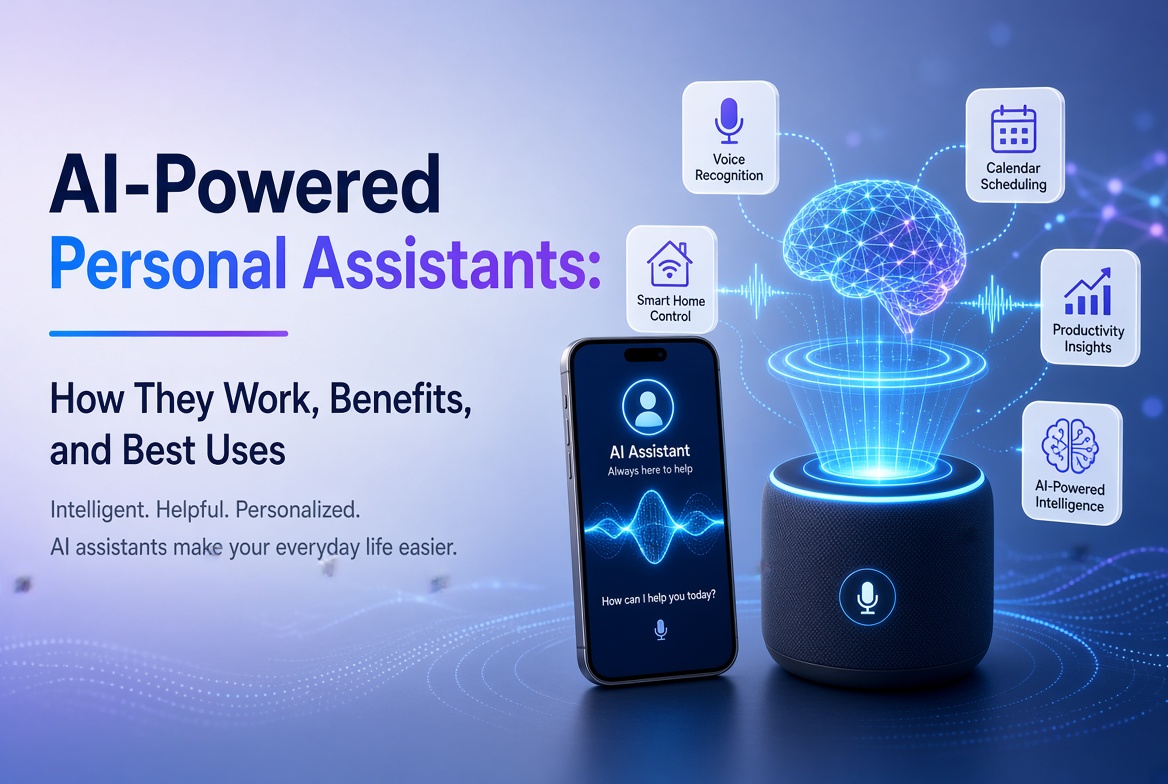
Trí tuệ nhân tạo đã chuyển từ công nghệ chuyên biệt sang các ứng dụng hàng ngày mà mọi người sử dụng để viết, nghiên cứu, học tập, thiết kế, lập trình, tổ chức cuộc họp và giải quyết vấn đề. Thách thức không còn là tìm một ứng dụng AI. Mà là chọn đúng ứng dụng cho công việc.
Trong hướng dẫn này về các ứng dụng AI tốt nhất năm 2026, chúng tôi so sánh các công cụ thực tiễn dựa trên một số trường hợp sử dụng thay vì xem mọi chatbot là có thể thay thế cho nhau. Một số ứng dụng là trợ lý tổng quát xuất sắc, trong khi những ứng dụng khác lại tốt hơn cho nghiên cứu web, học tập dựa trên nguồn, nội dung hình ảnh, viết, họp hoặc sản xuất sáng tạo.
Các gợi ý của chúng tôi tập trung vào tính hữu ích, phù hợp với quy trình làm việc, độ sâu tính năng, dễ sử dụng, khả năng có sẵn trên di động và khả năng tạo ra kết quả cần phải được xem xét một cách hợp lý bởi con người. Các tính năng và giới hạn kế hoạch có thể thay đổi, vì vậy hãy kiểm tra những gì nhà cung cấp hiện đang cung cấp trước khi đăng ký.
Mục Lục
- Các ứng dụng AI là gì?
- Các ứng dụng AI tốt nhất trong cái nhìn tổng quan
- 1. ChatGPT
- 2. Google Gemini
- 3. Claude
- 4. Perplexity
- 5. Microsoft 365 Copilot
- 6. NotebookLM
- 7. Canva
- 8. Adobe Firefly
- 9. Grammarly
- 10. Otter.ai
- Cách chọn ứng dụng AI tốt nhất
- Mẹo từ chuyên gia
- Những Sai Lầm Thông Thường
- Câu hỏi thường gặp
- Kết luận
Các ứng dụng AI là gì?
Các ứng dụng AI là các ứng dụng phần mềm sử dụng các mô hình trí tuệ nhân tạo để hiểu hướng dẫn, phân tích thông tin, tạo nội dung, tự động hóa nhiệm vụ hoặc tương tác với người dùng thông qua ngôn ngữ tự nhiên và các đầu vào khác.
Các ứng dụng AI hiện đại có thể làm việc với nhiều thứ hơn là văn bản đơn thuần. Tùy thuộc vào sản phẩm, bạn có thể tải lên tài liệu, hình ảnh, âm thanh, bảng tính hoặc các loại tệp khác. Một số ứng dụng cũng có thể tìm kiếm trên web, kết nối với các dịch vụ năng suất, tạo ra hình ảnh và video, tóm tắt cuộc họp, hoặc biến tài liệu nghiên cứu thành tài nguyên học tập.
Vì vậy, ứng dụng AI hữu ích nhất không nhất thiết phải là ứng dụng có mô hình lớn nhất hoặc danh sách tính năng dài nhất. Đó là ứng dụng giải quyết vấn đề cụ thể của bạn với ít ma sát nhất.
Các ứng dụng AI tốt nhất trong cái nhìn tổng quan
| Ứng dụng AI | Tốt nhất cho | Điểm mạnh chính | Người dùng lý tưởng |
|---|---|---|---|
| ChatGPT | Hỗ trợ AI tổng quát | Quy trình đa phương tiện rộng rãi | Hầu như mọi người |
| Google Gemini | Hệ sinh thái Google | Tìm kiếm, ứng dụng và trợ giúp đa phương tiện | Người dùng Google |
| Claude | Viết lách và phân tích | Lập luận và soạn thảo dài hạn mạnh mẽ | Chuyên gia và nhà văn |
| Perplexity | Tìm kiếm AI | Nghiên cứu web với trích dẫn | Nhà nghiên cứu và sinh viên |
| Microsoft 365 Copilot | Năng suất văn phòng | Quy trình nội dung và tệp tại nơi làm việc | Người dùng Microsoft 365 |
| NotebookLM | Nghiên cứu dựa trên nguồn | Câu trả lời có căn cứ và công cụ học tập | Sinh viên và nhà nghiên cứu |
| Canva | Nội dung thiết kế và xã hội | Tạo hình ảnh hỗ trợ AI | Người tạo nội dung và nhà tiếp thị |
| Adobe Firefly | Phương tiện sinh ra | Tạo/sửa đổi hình ảnh và video | Người tạo hình ảnh |
| Grammarly | Cải thiện viết lách | Hỗ trợ chỉnh sửa, âm điệu và giao tiếp | Nhà văn và chuyên gia |
| Otter.ai | Cuộc họp và chuyển đổi | Ghi âm, chuyển đổi và tóm tắt | Nhóm và sinh viên |
1. ChatGPT
Tốt nhất cho: Hỗ trợ AI đa mục đích.
ChatGPT vẫn là một trong những lựa chọn mạnh mẽ nhất vì nó có thể hỗ trợ nhiều quy trình làm việc khác nhau từ một giao diện duy nhất. Bạn có thể sử dụng nó để động não, viết lách, tóm tắt, học tập, lập trình, phân tích dữ liệu, lập kế hoạch và làm tài liệu.
Tính hữu dụng của nó đến từ sự linh hoạt. Thay vì duy trì các ứng dụng riêng cho mỗi nhiệm vụ nhỏ, nhiều người dùng có thể xử lý ý tưởng, chỉnh sửa, phân tích và giải quyết vấn đề trong một cuộc trò chuyện. Các bản cập nhật ứng dụng gần đây cũng bao gồm biểu đồ tương tác và cải thiện quy trình viết dài, làm cho trải nghiệm trở nên hữu ích hơn cho công việc phân tích và tài liệu nặng.
Tại sao ChatGPT nổi bật
- Hỗ trợ giao tiếp đa mục đích mạnh mẽ.
- Hữu ích cho viết lách, lập trình, hỗ trợ nghiên cứu và phân tích.
- Làm việc với nhiều loại đầu vào tùy thuộc vào kế hoạch hiện tại và tính năng có sẵn.
- Có thể biến dữ liệu thành biểu đồ và giúp diễn giải thông tin có cấu trúc.
- Hữu ích cho cả câu hỏi nhanh và các dự án dài hơi.
Lựa chọn tốt nhất nếu: bạn muốn một trợ lý AI có thể xử lý nhiều nhiệm vụ khác nhau thay vì một công cụ hạn chế.
2. Google Gemini
Tốt nhất cho: Những người sống trong hệ sinh thái của Google.
Gemini đặc biệt hấp dẫn cho người dùng Android và Google Workspace. Ứng dụng di động hỗ trợ văn bản, giọng nói, hình ảnh và tương tác bằng camera. Tùy thuộc vào tính khả dụng, nó cũng có thể hoạt động với các dịch vụ như Gmail, Google Drive, Maps và Flights.
Sự tích hợp trong hệ sinh thái đó là lợi thế chính của nó. Thay vì coi AI như một điểm đến riêng biệt, Gemini có thể hoạt động như một trợ lý kết nối với các dịch vụ mà bạn đã sử dụng.
Các tính năng hữu ích của Gemini
- Viết, brainstorming và hỗ trợ học tập.
- Tạo hình ảnh và tương tác đa phương thức.
- Kết nối với các dịch vụ Google được chọn.
- Cuộc trò chuyện bằng giọng nói và hỗ trợ Android.
- Hỗ trợ lập kế hoạch cho các nhiệm vụ liên quan đến Google Maps và Google Flights.
Google tự cảnh báo rằng Gemini có thể tạo ra thông tin không chính xác, vì vậy các tuyên bố quan trọng nên được kiểm tra chứ không chỉ chấp nhận tự động.
Lựa chọn tốt nhất nếu: quy trình làm việc hàng ngày của bạn đã phụ thuộc nhiều vào Android, Gmail, Drive, Maps, YouTube hoặc các dịch vụ Google khác.
3. Claude
Tốt nhất cho: Viết dài, phân tích và lý luận cẩn thận.
Claude là một lựa chọn mạnh mẽ cho những người dùng dành nhiều thời gian để soạn thảo, phân tích, tổ chức thông tin phức tạp hoặc làm việc qua các hướng dẫn chi tiết. Nó đặc biệt hữu ích khi chất lượng lý luận và viết lách quan trọng hơn việc chỉ nhận được một câu trả lời ngắn.
Claude có thể giúp ích ở đâu
- Bài viết và báo cáo dài.
- Phân tích tài liệu và tóm tắt.
- Brainstorming và giải quyết vấn đề có cấu trúc.
- Giải thích mã và hỗ trợ phát triển.
- Chỉnh sửa nội dung cho sự rõ ràng, cấu trúc và giọng điệu.
Như với mọi hệ thống AI tạo sinh, Claude có thể mắc sai lầm về mặt thực tế. Hãy coi nó như một trợ lý thông minh, không phải là một cơ quan không thể sai.
Lựa chọn tốt nhất nếu: công việc của bạn liên quan đến việc viết lách, phân tích hoặc hướng dẫn phức tạp.
4. Perplexity
Tốt nhất cho: Nghiên cứu web và tìm kiếm dựa trên câu trả lời.
Perplexity takes a different approach from a traditional chatbot. It is designed around AI-powered search, returning conversational answers with citations and links to sources. That makes it useful when you need to investigate a topic rather than simply generate text.
Its research-oriented workflow can reduce the time spent opening many search results just to establish the basics of a topic. Users can also explore more advanced search and research modes, depending on their plan.
Tại sao các nhà nghiên cứu thích nó
- Answers are designed around web search.
- Responses include citations and links for verification.
- Useful for discovering current information.
- Can support deeper research workflows.
- Provides access to different AI models in supported plans.
Lựa chọn tốt nhất nếu: you regularly need current information and want citations close to the answer.
5. Microsoft 365 Copilot
Best for: Microsoft-based workplace productivity.
Microsoft 365 Copilot is built for people who already work with Microsoft productivity tools. The mobile and web experience can help users summarize information, create content, work with files, brainstorm, and use AI agents.
Its biggest advantage is workflow integration. For an organization already using Microsoft 365, an AI assistant that fits into the existing environment can be more valuable than a standalone chatbot.
Các trường hợp sử dụng tốt
- Summarizing workplace information.
- Drafting and improving business content.
- Working with files and documents.
- Brainstorming and planning.
- Using AI agents for repetitive productivity tasks.
Lựa chọn tốt nhất nếu: your work revolves around Microsoft 365 and you want AI inside that ecosystem.
6. NotebookLM
Best for: Research, study and working from your own sources.
NotebookLM is one of the most distinctive AI research apps because it emphasizes source-grounded interaction. You can provide material such as PDFs, websites, YouTube videos, audio files, Google Docs, or Google Slides, then ask questions about the collected sources.
Google says NotebookLM provides inline citations and can transform source material into formats such as study guides, briefings, audio overviews, mind maps, flashcards, quizzes, infographics, and slide decks. The mobile app supports several of these workflows, although the company notes that the mobile experience does not yet contain every desktop feature.
Tại sao NotebookLM lại khác biệt
- Answers are grounded in the sources you provide.
- Citations make it easier to verify statements.
- Useful for studying and document-heavy research.
- Can turn source material into learning formats.
- Supports multiple source types.
Lựa chọn tốt nhất nếu: you want an AI assistant that works primarily from a defined collection of documents and sources.
7. Canva
Best for: AI-assisted design, marketing and social media content.
Canva has evolved beyond a simple template-based design platform. Its AI features can help users turn prompts into designs, edit images, generate media, write copy, transform formats, and build content for different channels.
Canva’s 2026 AI direction is increasingly conversational and agentic. Canva AI 2.0 is designed to generate editable, layered designs from an idea or prompt and can coordinate workflows such as brand intelligence, web research, scheduling, connectors and Canva Code.
Các quy trình làm việc AI hữu ích của Canva
- Generate initial designs from prompts.
- Create and edit images with AI.
- Generate short visual content.
- Write and refine marketing copy.
- Resize and adapt content for multiple channels.
- Maintain brand consistency across designs.
Lựa chọn tốt nhất nếu: you need social graphics, presentations, marketing materials or visual content without using complex professional design software.
8. Adobe Firefly
Best for: AI image and video creation.
Adobe Firefly is aimed at creators who want generative AI alongside professional creative workflows. Its mobile app supports image generation, video generation, prompt-based editing, generative fill and other AI-powered media features.
One advantage is its connection to Adobe’s broader creative ecosystem. Adobe also says the Firefly app can provide access to multiple AI models, allowing creators to choose among supported models for different creative tasks.
Các trường hợp sử dụng tốt nhất của Firefly
- Generate concept images from text prompts.
- Turn still images into video clips.
- Remove or replace objects.
- Change backgrounds using natural-language instructions.
- Create sound effects and other media assets.
Lựa chọn tốt nhất nếu: visual content is central to your work and you want a mobile AI creation tool connected to a professional creative ecosystem.
9. Grammarly
Best for: Improving everyday writing and communication.
Grammarly is more focused than general chatbots. Its strength is helping people communicate clearly across emails, documents, messages and other writing environments. It can identify grammar and punctuation problems, suggest clearer wording, adjust tone, and rewrite paragraphs.
Grammarly has also expanded into broader AI assistance and agents. Its current features include tools for proofreading, paraphrasing, reader reactions, writing support and other communication tasks.
Ai nên sử dụng Grammarly?
- Business professionals writing emails and reports.
- Students improving clarity and grammar.
- Freelancers communicating with clients.
- Content creators polishing drafts.
- Teams that need consistent communication quality.
Lựa chọn tốt nhất nếu: your main goal is to make existing writing clearer, more professional and easier to understand.
10. Otter.ai
Best for: Meetings, interviews and transcription.
Otter.ai is designed around spoken information. Its mobile apps can record conversations and transcribe them, while Otter’s meeting assistant can help automate meeting notes, summaries and follow-up workflows.
This makes it especially useful when the problem is not generating information but capturing information that already happened. Students can use it for lectures where appropriate, while professionals can use it for meetings, interviews and discussions.
Các quy trình làm việc hữu ích của Otter
- Record conversations on mobile.
- Transcribe meetings and interviews.
- Create summaries from captured discussions.
- Organize meeting information.
- Reduce the need for manual note-taking.
Lựa chọn tốt nhất nếu: you regularly attend meetings or interviews and want AI to handle much of the note-taking process.
Cách chọn ứng dụng AI tốt nhất cho nhu cầu của bạn
There is no universal winner. Start with the task you perform most often.
Đối với năng suất chung
Choose ChatGPT or Gemini. Both can handle a wide range of questions, writing tasks, brainstorming and multimodal interactions. Gemini has a particularly strong case if you use Google’s ecosystem extensively.
Đối với nghiên cứu
Choose Perplexity when you want web-based research with citations. Choose NotebookLM when your work depends on a defined set of documents and you want answers grounded in those sources.
Để viết
Claude is a strong option for substantial drafting and analysis, while Grammarly is better suited to editing and improving writing inside everyday communication workflows.
Để thiết kế và tạo nội dung
Canva is convenient for marketing graphics and multi-channel content. Adobe Firefly is more focused on generative visual media and AI-assisted creative production.
Để họp
Otter.ai is the more specialized choice because transcription and meeting capture are at the center of its workflow.
Mẹo chuyên gia để có kết quả tốt hơn từ các ứng dụng AI
- Define the outcome first. Tell the AI what a successful result should look like.
- Give context. Include your audience, goal, constraints, source material and preferred format.
- Use structured prompts. Ask for headings, tables, bullet points or a specific workflow when appropriate.
- Provide source material. For research-heavy tasks, give the model the documents or links it should prioritize.
- Iterate. Your first response is often a draft. Ask for refinement instead of starting from zero.
- Verify important claims. Check statistics, quotations, legal information, financial information and other high-impact facts.
- Protect sensitive data. Avoid uploading confidential business information, passwords, private customer records or other data unless you understand the app’s data controls.
- Measure time saved. The best AI app is the one that improves your workflow, not the one with the longest feature list.
Những Sai lầm Thường gặp cần Tránh
Chọn ứng dụng chỉ vì nó phổ biến
Popularity does not guarantee that an app fits your workflow. A specialized transcription or research app can be more useful than a general chatbot for a specific task.
Tin tưởng mọi câu trả lời của AI
Generative AI can produce confident but incorrect statements. Citations, source checking and human judgment remain important.
Sử dụng quá nhiều ứng dụng AI
Subscribing to six or seven overlapping tools can create unnecessary costs and fragmented workflows. Start with one general assistant and add specialized apps only when they solve a clear problem.
Bỏ qua cài đặt quyền riêng tư
Before uploading sensitive files, understand how the service stores, processes and protects your information. Business and enterprise plans may offer different controls from consumer plans.
Công bố nội dung do AI tạo mà không chỉnh sửa
AI can accelerate content production, but it does not replace editorial judgment. Review facts, improve examples, add original insights and make sure the final work genuinely helps the reader.
Các câu hỏi thường gặp về các ứng dụng AI tốt nhất
1. Ứng dụng AI nào là tốt nhất tổng thể?
For general-purpose use, ChatGPT is one of the strongest all-around choices because it supports a broad range of tasks. However, the best app depends on your needs. Gemini may be better for Google users, Perplexity for web research, and NotebookLM for source-based research.
2. Ứng dụng AI miễn phí nào là tốt nhất?
Several leading AI apps offer free access with limits. ChatGPT, Gemini, Perplexity, Canva and Grammarly all provide ways to try AI features without immediately purchasing a premium plan. Free limits and features can change, so check the current provider terms.
3. Ứng dụng AI nào là tốt nhất cho học sinh?
NotebookLM is particularly useful for students working from lecture notes, PDFs and other source material. Gemini and ChatGPT can also help explain concepts, brainstorm and create study materials. Students should use AI as a learning aid rather than a substitute for understanding the material.
4. Ứng dụng AI nào là tốt nhất cho nghiên cứu?
Perplexity is a strong choice for current web research because its answers include citations and links. NotebookLM is better when you want to research a defined collection of documents and ask questions about those sources.
5. Ứng dụng AI nào là tốt nhất cho việc viết?
Claude and ChatGPT are strong general writing assistants. Grammarly is particularly useful when your goal is to improve an existing draft, correct errors, refine tone or make communication clearer.
6. Ứng dụng AI nào là tốt nhất cho việc tạo hình ảnh?
Adobe Firefly is a strong choice for AI image and video creation, while Canva is convenient when you want to combine AI-generated visuals with layouts, presentations and social media designs.
7. Các ứng dụng AI có thể thay thế nhân viên con người không?
AI apps can automate parts of many jobs, but they do not reliably replace human judgment, accountability, domain expertise and communication. In practice, the strongest workflow often combines AI speed with human review and decision-making.
8. Tôi có nên trả tiền cho nhiều ứng dụng AI không?
Only if each subscription provides a clear benefit. Start with one general AI assistant, then add specialized services when they save enough time or improve quality enough to justify their cost.
Kết luận
The best AI apps in 2026 are not simply chatbots with different logos. They are becoming specialized workspaces for research, writing, design, meetings, productivity and creative production.
ChatGPT is a strong all-purpose assistant. Gemini is especially useful inside Google’s ecosystem. Claude is well suited to writing and analysis. Perplexity focuses on AI-powered web research. Microsoft 365 Copilot brings AI into workplace productivity. NotebookLM is excellent for source-grounded research and learning. Canva and Adobe Firefly cover visual creation, while Grammarly and Otter.ai solve more focused communication and meeting problems.
The smartest approach is to choose based on your workflow. Identify the task that consumes the most time, select the AI app that addresses it, and then measure the result. AI should reduce friction and improve the quality of your work, not simply add another subscription to your monthly expenses.
Kêu gọi Hành động
Ready to improve your workflow with AI? Start with one app from this list, test it on a real task this week, and track how much time it saves. Once you know what works, add specialized AI tools only where they provide a measurable advantage.
Editorial note: AI features, pricing, availability and usage limits can change frequently. Always check the official provider documentation before making a purchasing or business decision.