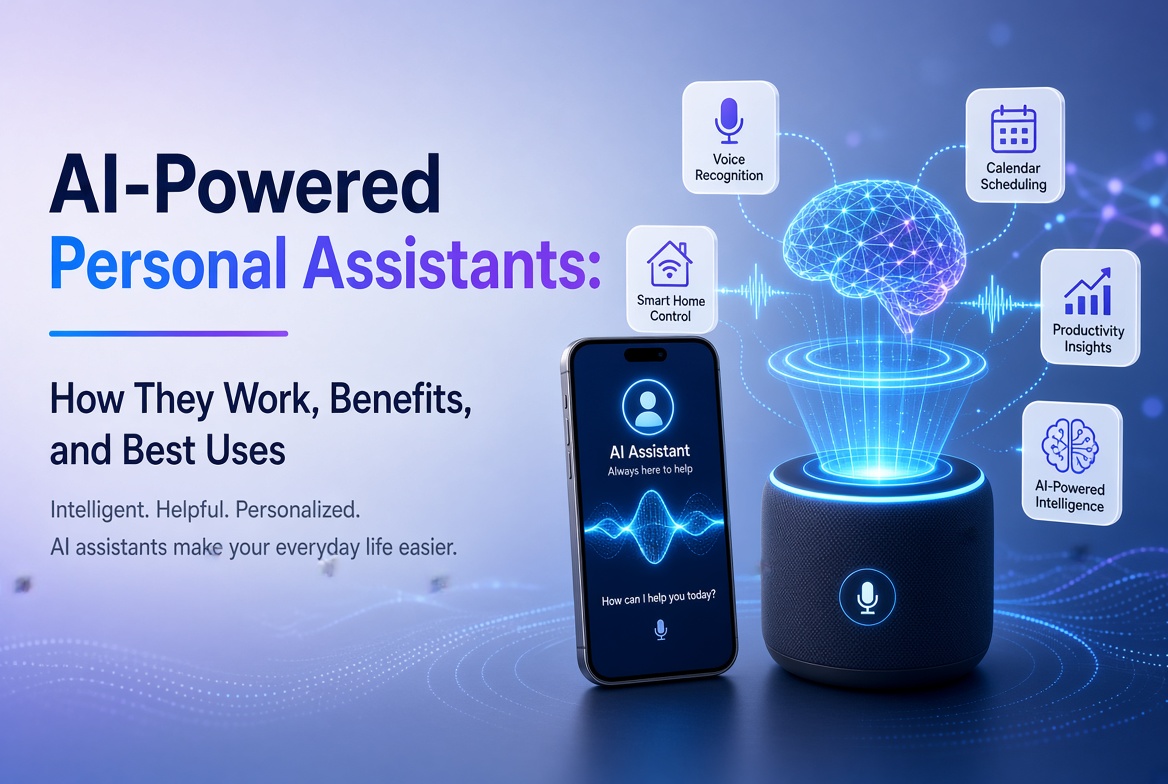
Artificial intelligence has moved from a specialist technology into everyday apps that people use to write, research, study, design, code, organize meetings, and solve problems. The challenge is no longer finding an AI app. It is choosing the right one for the job.
In this guide to the best AI apps in 2026, we compare practical tools across several use cases instead of treating every chatbot as interchangeable. Some apps are excellent general assistants, while others are better for web research, source-based learning, visual content, writing, meetings, or creative production.
Our recommendations focus on usefulness, workflow fit, feature depth, ease of use, mobile availability, and the ability to produce results that still need sensible human review. Features and plan limits can change, so check the provider’s current offering before subscribing.
Table of Contents
- What Are AI Apps?
- Best AI Apps at a Glance
- 1. ChatGPT
- 2. Google Gemini
- 3. Claude
- 4. Perplexity
- 5. Microsoft 365 Copilot
- 6. NotebookLM
- 7. Canva
- 8. Adobe Firefly
- 9. Grammarly
- 10. Otter.ai
- How to Choose the Best AI App
- Expert Tips
- Common Mistakes
- FAQs
- Conclusion
What Are AI Apps?
AI apps are software applications that use artificial intelligence models to understand instructions, analyze information, generate content, automate tasks, or interact with users through natural language and other inputs.
Modern AI apps can work with more than plain text. Depending on the product, you may be able to upload documents, images, audio, spreadsheets, or other files. Some apps can also search the web, connect with productivity services, generate images and videos, summarize meetings, or turn research material into learning resources.
The most useful AI app is therefore not necessarily the one with the largest model or the longest feature list. It is the one that solves your particular problem with the least friction.
Best AI Apps at a Glance
| AI app | Best for | Main strength | Ideal user |
|---|---|---|---|
| ChatGPT | General AI assistance | Broad multimodal workflow | Almost everyone |
| Google Gemini | Google ecosystem | Search, apps and multimodal help | Google users |
| Claude | Writing and analysis | Strong long-form reasoning and drafting | Professionals and writers |
| Perplexity | AI search | Web research with citations | Researchers and students |
| Microsoft 365 Copilot | Office productivity | Workplace content and file workflows | Microsoft 365 users |
| NotebookLM | Source-based research | Grounded answers and study tools | Students and researchers |
| Canva | Design and social content | AI-assisted visual creation | Creators and marketers |
| Adobe Firefly | Generative media | Image and video generation/editing | Visual creators |
| Grammarly | Writing improvement | Editing, tone and communication support | Writers and professionals |
| Otter.ai | Meetings and transcription | Recording, transcription and summaries | Teams and students |
1. ChatGPT
Best for: General-purpose AI assistance.
ChatGPT remains one of the strongest all-around choices because it can support many different workflows from a single interface. You can use it for brainstorming, writing, summarization, learning, coding, data analysis, planning, and document work.
Its usefulness comes from versatility. Instead of maintaining separate apps for every small task, many users can handle ideation, editing, analysis, and problem-solving in one conversation. Recent app updates also include interactive charts and improved long-form writing workflows, making the experience more useful for analytical and document-heavy work.
Why ChatGPT stands out
- Strong general-purpose conversational assistance.
- Useful for writing, coding, research support, and analysis.
- Works with multiple input types depending on the current plan and feature availability.
- Can turn data into charts and help interpret structured information.
- Useful for both quick questions and longer projects.
Best choice if: you want one AI assistant that can handle many different tasks rather than a narrowly focused tool.
2. Google Gemini
Best for: People who live inside Google’s ecosystem.
Gemini is especially compelling for Android and Google Workspace users. The mobile app supports text, voice, photos, and camera-based interactions. Depending on availability, it can also work with services such as Gmail, Google Drive, Maps, and Flights.
That ecosystem integration is its major advantage. Instead of treating AI as a separate destination, Gemini can act more like an assistant connected to the services you already use.
Useful Gemini features
- Writing, brainstorming and learning assistance.
- Image generation and multimodal interaction.
- Connections to selected Google services.
- Voice conversations and Android assistance.
- Support for planning tasks involving Google Maps and Google Flights.
Google itself warns that Gemini can produce inaccurate information, so important claims should be checked rather than accepted automatically.
Best choice if: your daily workflow already depends heavily on Android, Gmail, Drive, Maps, YouTube, or other Google services.
3. Claude
Best for: Long-form writing, analysis and careful reasoning.
Claude is a strong option for users who spend a lot of time drafting, analyzing, organizing complex information, or working through detailed instructions. It is particularly useful when the quality of the reasoning and writing matters more than simply getting a short answer.
Where Claude can help
- Long-form articles and reports.
- Document analysis and summarization.
- Brainstorming and structured problem solving.
- Code explanation and development support.
- Editing content for clarity, structure and tone.
As with every generative AI system, Claude can make factual mistakes. Treat it as an intelligent assistant, not an infallible authority.
Best choice if: your work involves substantial writing, analysis, or complex instructions.
4. Perplexity
Best for: Web research and answer-driven search.
Perplexity takes a different approach from a traditional chatbot. It is designed around AI-powered search, returning conversational answers with citations and links to sources. That makes it useful when you need to investigate a topic rather than simply generate text.
Its research-oriented workflow can reduce the time spent opening many search results just to establish the basics of a topic. Users can also explore more advanced search and research modes, depending on their plan.
Why researchers like it
- Answers are designed around web search.
- Responses include citations and links for verification.
- Useful for discovering current information.
- Can support deeper research workflows.
- Provides access to different AI models in supported plans.
Best choice if: you regularly need current information and want citations close to the answer.
5. Microsoft 365 Copilot
Best for: Microsoft-based workplace productivity.
Microsoft 365 Copilot is built for people who already work with Microsoft productivity tools. The mobile and web experience can help users summarize information, create content, work with files, brainstorm, and use AI agents.
Its biggest advantage is workflow integration. For an organization already using Microsoft 365, an AI assistant that fits into the existing environment can be more valuable than a standalone chatbot.
Good use cases
- Summarizing workplace information.
- Drafting and improving business content.
- Working with files and documents.
- Brainstorming and planning.
- Using AI agents for repetitive productivity tasks.
Best choice if: your work revolves around Microsoft 365 and you want AI inside that ecosystem.
6. NotebookLM
Best for: Research, study and working from your own sources.
NotebookLM is one of the most distinctive AI research apps because it emphasizes source-grounded interaction. You can provide material such as PDFs, websites, YouTube videos, audio files, Google Docs, or Google Slides, then ask questions about the collected sources.
Google says NotebookLM provides inline citations and can transform source material into formats such as study guides, briefings, audio overviews, mind maps, flashcards, quizzes, infographics, and slide decks. The mobile app supports several of these workflows, although the company notes that the mobile experience does not yet contain every desktop feature.
Why NotebookLM is different
- Answers are grounded in the sources you provide.
- Citations make it easier to verify statements.
- Useful for studying and document-heavy research.
- Can turn source material into learning formats.
- Supports multiple source types.
Best choice if: you want an AI assistant that works primarily from a defined collection of documents and sources.
7. Canva
Best for: AI-assisted design, marketing and social media content.
Canva has evolved beyond a simple template-based design platform. Its AI features can help users turn prompts into designs, edit images, generate media, write copy, transform formats, and build content for different channels.
Canva’s 2026 AI direction is increasingly conversational and agentic. Canva AI 2.0 is designed to generate editable, layered designs from an idea or prompt and can coordinate workflows such as brand intelligence, web research, scheduling, connectors and Canva Code.
Useful Canva AI workflows
- Generate initial designs from prompts.
- Create and edit images with AI.
- Generate short visual content.
- Write and refine marketing copy.
- Resize and adapt content for multiple channels.
- Maintain brand consistency across designs.
Best choice if: you need social graphics, presentations, marketing materials or visual content without using complex professional design software.
8. Adobe Firefly
Best for: AI image and video creation.
Adobe Firefly is aimed at creators who want generative AI alongside professional creative workflows. Its mobile app supports image generation, video generation, prompt-based editing, generative fill and other AI-powered media features.
One advantage is its connection to Adobe’s broader creative ecosystem. Adobe also says the Firefly app can provide access to multiple AI models, allowing creators to choose among supported models for different creative tasks.
Best Firefly use cases
- Generate concept images from text prompts.
- Turn still images into video clips.
- Remove or replace objects.
- Change backgrounds using natural-language instructions.
- Create sound effects and other media assets.
Best choice if: visual content is central to your work and you want a mobile AI creation tool connected to a professional creative ecosystem.
9. Grammarly
Best for: Improving everyday writing and communication.
Grammarly is more focused than general chatbots. Its strength is helping people communicate clearly across emails, documents, messages and other writing environments. It can identify grammar and punctuation problems, suggest clearer wording, adjust tone, and rewrite paragraphs.
Grammarly has also expanded into broader AI assistance and agents. Its current features include tools for proofreading, paraphrasing, reader reactions, writing support and other communication tasks.
Who should use Grammarly?
- Business professionals writing emails and reports.
- Students improving clarity and grammar.
- Freelancers communicating with clients.
- Content creators polishing drafts.
- Teams that need consistent communication quality.
Best choice if: your main goal is to make existing writing clearer, more professional and easier to understand.
10. Otter.ai
Best for: Meetings, interviews and transcription.
Otter.ai is designed around spoken information. Its mobile apps can record conversations and transcribe them, while Otter’s meeting assistant can help automate meeting notes, summaries and follow-up workflows.
This makes it especially useful when the problem is not generating information but capturing information that already happened. Students can use it for lectures where appropriate, while professionals can use it for meetings, interviews and discussions.
Useful Otter workflows
- Record conversations on mobile.
- Transcribe meetings and interviews.
- Create summaries from captured discussions.
- Organize meeting information.
- Reduce the need for manual note-taking.
Best choice if: you regularly attend meetings or interviews and want AI to handle much of the note-taking process.
How to Choose the Best AI App for Your Needs
There is no universal winner. Start with the task you perform most often.
For general productivity
Choose ChatGPT or Gemini. Both can handle a wide range of questions, writing tasks, brainstorming and multimodal interactions. Gemini has a particularly strong case if you use Google’s ecosystem extensively.
For research
Choose Perplexity when you want web-based research with citations. Choose NotebookLM when your work depends on a defined set of documents and you want answers grounded in those sources.
For writing
Claude is a strong option for substantial drafting and analysis, while Grammarly is better suited to editing and improving writing inside everyday communication workflows.
For design and content creation
Canva is convenient for marketing graphics and multi-channel content. Adobe Firefly is more focused on generative visual media and AI-assisted creative production.
For meetings
Otter.ai is the more specialized choice because transcription and meeting capture are at the center of its workflow.
Expert Tips for Getting Better Results From AI Apps
- Define the outcome first. Tell the AI what a successful result should look like.
- Give context. Include your audience, goal, constraints, source material and preferred format.
- Use structured prompts. Ask for headings, tables, bullet points or a specific workflow when appropriate.
- Provide source material. For research-heavy tasks, give the model the documents or links it should prioritize.
- Iterate. Your first response is often a draft. Ask for refinement instead of starting from zero.
- Verify important claims. Check statistics, quotations, legal information, financial information and other high-impact facts.
- Protect sensitive data. Avoid uploading confidential business information, passwords, private customer records or other data unless you understand the app’s data controls.
- Measure time saved. The best AI app is the one that improves your workflow, not the one with the longest feature list.
Common Mistakes to Avoid
Choosing an app because it is popular
Popularity does not guarantee that an app fits your workflow. A specialized transcription or research app can be more useful than a general chatbot for a specific task.
Trusting every AI answer
Generative AI can produce confident but incorrect statements. Citations, source checking and human judgment remain important.
Using too many AI apps
Subscribing to six or seven overlapping tools can create unnecessary costs and fragmented workflows. Start with one general assistant and add specialized apps only when they solve a clear problem.
Ignoring privacy settings
Before uploading sensitive files, understand how the service stores, processes and protects your information. Business and enterprise plans may offer different controls from consumer plans.
Publishing AI-generated content without editing
AI can accelerate content production, but it does not replace editorial judgment. Review facts, improve examples, add original insights and make sure the final work genuinely helps the reader.
FAQs About the Best AI Apps
1. What is the best AI app overall?
For general-purpose use, ChatGPT is one of the strongest all-around choices because it supports a broad range of tasks. However, the best app depends on your needs. Gemini may be better for Google users, Perplexity for web research, and NotebookLM for source-based research.
2. What is the best free AI app?
Several leading AI apps offer free access with limits. ChatGPT, Gemini, Perplexity, Canva and Grammarly all provide ways to try AI features without immediately purchasing a premium plan. Free limits and features can change, so check the current provider terms.
3. Which AI app is best for students?
NotebookLM is particularly useful for students working from lecture notes, PDFs and other source material. Gemini and ChatGPT can also help explain concepts, brainstorm and create study materials. Students should use AI as a learning aid rather than a substitute for understanding the material.
4. Which AI app is best for research?
Perplexity is a strong choice for current web research because its answers include citations and links. NotebookLM is better when you want to research a defined collection of documents and ask questions about those sources.
5. Which AI app is best for writing?
Claude and ChatGPT are strong general writing assistants. Grammarly is particularly useful when your goal is to improve an existing draft, correct errors, refine tone or make communication clearer.
6. Which AI app is best for image generation?
Adobe Firefly is a strong choice for AI image and video creation, while Canva is convenient when you want to combine AI-generated visuals with layouts, presentations and social media designs.
7. Can AI apps replace human workers?
AI apps can automate parts of many jobs, but they do not reliably replace human judgment, accountability, domain expertise and communication. In practice, the strongest workflow often combines AI speed with human review and decision-making.
8. Should I pay for several AI apps?
Only if each subscription provides a clear benefit. Start with one general AI assistant, then add specialized services when they save enough time or improve quality enough to justify their cost.
Conclusion
The best AI apps in 2026 are not simply chatbots with different logos. They are becoming specialized workspaces for research, writing, design, meetings, productivity and creative production.
ChatGPT is a strong all-purpose assistant. Gemini is especially useful inside Google’s ecosystem. Claude is well suited to writing and analysis. Perplexity focuses on AI-powered web research. Microsoft 365 Copilot brings AI into workplace productivity. NotebookLM is excellent for source-grounded research and learning. Canva and Adobe Firefly cover visual creation, while Grammarly and Otter.ai solve more focused communication and meeting problems.
The smartest approach is to choose based on your workflow. Identify the task that consumes the most time, select the AI app that addresses it, and then measure the result. AI should reduce friction and improve the quality of your work, not simply add another subscription to your monthly expenses.
Call to Action
Ready to improve your workflow with AI? Start with one app from this list, test it on a real task this week, and track how much time it saves. Once you know what works, add specialized AI tools only where they provide a measurable advantage.
Editorial note: AI features, pricing, availability and usage limits can change frequently. Always check the official provider documentation before making a purchasing or business decision.