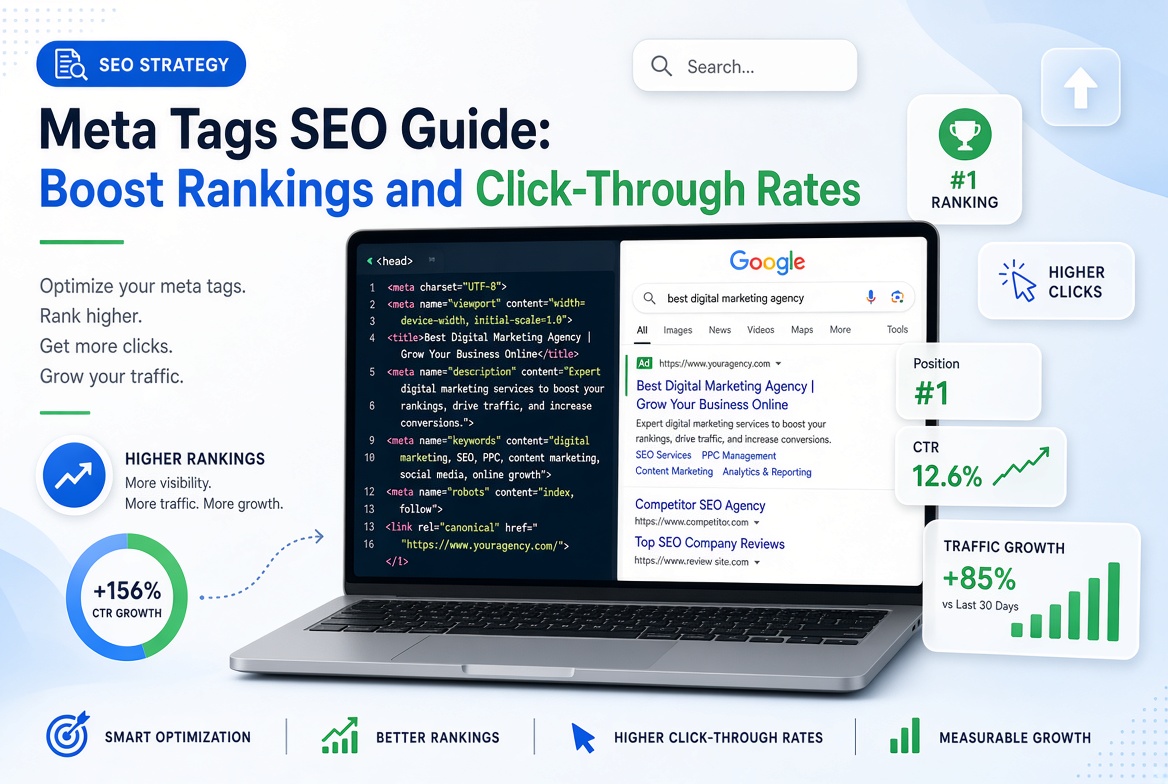

Meta tags play an important role in how search engines interpret web pages and how users interact with search results. When you optimize them correctly, you help search engines understand your content and give potential visitors a compelling reason to click.
However, meta tags do not all serve the same purpose. Some influence how your pages appear in search results, while others control indexing, communicate language or regional information, and help browsers display content correctly.
Understanding these differences is essential for anyone who wants to improve organic search visibility.
Whether you manage a WordPress blog, an online store, a business website, or a growing digital publication, this comprehensive meta tags SEO guide will help you understand which tags matter, how to implement them, and how to avoid mistakes that undermine your SEO efforts.
You will also learn how to optimize title tags and meta descriptions, use robots directives correctly, test your implementation, and measure whether your changes improve search performance.
Table des matières
- What Are Meta Tags in SEO?
- Why Meta Tags Matter for SEO
- Types of Meta Tags You Should Know
- How to Write SEO-Friendly Title Tags
- How to Write Effective Meta Descriptions
- How to Use Robots Meta Tags Correctly
- Meta Tags vs. Other SEO Elements
- How to Optimize Meta Tags for Higher Click-Through Rates
- Meta Tags SEO Best Practices
- Common Meta Tag Mistakes to Avoid
- How to Add Meta Tags in WordPress
- How to Audit and Measure Meta Tag Performance
- Expert Tips for Better Meta Tag Optimization
- Foire aux questions
- Conclusion
1. What Are Meta Tags in SEO?
Meta tags are HTML elements that provide information about a web page to browsers, search engines, and other systems.
Most meta tags appear inside the <head> section of an HTML document. Visitors generally do not see them as part of the main page content, although some information they provide may influence how a page appears in search results or when shared online.
For example, a basic HTML document might contain these elements:
<head>
    <title>Meta Tags SEO Guide</title>
    <meta name="description" content="Learn how to optimize meta tags for better search visibility and click-through rates.">
    <meta name="robots" content="index, follow">
</head>
This example contains a title element, a meta description, and a robots directive.
Each serves a different purpose.
The title element provides a preferred title for the document. The meta description offers a summary that search engines may use when generating a search result snippet. The robots directive communicates instructions about indexing and link following.
It is important to understand that not every meta tag directly influences Google rankings.
For instance, Google does not use the meta keywords tag for web ranking. Adding dozens of keywords to this obsolete field will not improve your organic visibility.
The goal of meta tag optimization is to provide accurate information, communicate appropriate instructions, and improve the presentation of your pages in search results.
2. Why Meta Tags Matter for SEO
Meta tags contribute to several aspects of website optimization, although their effects differ depending on the tag.
Improve Search Result Presentation
A descriptive title helps users understand what a page offers before clicking.
For example, compare these two titles:
- Page 1: SEO Tips
- Page 2: 12 Practical SEO Tips to Improve Organic Traffic
The second title communicates a clearer topic and a more specific benefit.
When the title accurately represents the page, users can make a more informed decision about whether the result matches their needs.
Search engines may rewrite displayed title links, so the title you specify is not guaranteed to appear exactly as written.
Support Click-Through Rate Optimization
Organic click-through rate, or CTR, measures the percentage of impressions that result in clicks.
The formula is:
CTR = (Clicks ÷ Impressions) × 100
Suppose a web page receives 5,000 impressions and 150 clicks.
Its CTR is:
(150 ÷ 5,000) × 100 = 3%
If an improved title and description help the page receive 200 clicks from the same number of impressions, its CTR becomes 4%.
That represents a one-percentage-point increase.
This is an illustrative example, not a guaranteed outcome from changing meta tags.
CTR varies according to search position, query intent, device, competition, brand recognition, and the appearance of the search results page.
Help Search Engines Understand Your Content
Clear titles and accurate descriptions help communicate the subject of a page.
A title such as “Best WordPress SEO Plugins for Beginners” is more informative than a generic title such as “Our Recommendations.”
Relevant wording helps establish a clear relationship between the page and its intended audience.
However, search engines use many signals to understand content. Meta tags cannot compensate for irrelevant information, poor content quality, or a page that fails to satisfy the searcher’s intent.
Control Certain Indexing Behaviors
Robots meta tags can instruct compliant search engines not to index a page or not to follow links on it.
These directives are particularly useful for managing indexing preferences on selected pages.
Nevertheless, they must be implemented carefully. Accidentally applying a noindex directive to important landing pages can prevent those pages from appearing in search results.
Improve Social Sharing Presentation
Open Graph and social-specific metadata can help control how links appear when people share them on supported platforms.
These tags can specify a preferred title, description, and image.
Although social metadata does not directly improve Google rankings, a well-presented shared link can make your content more recognizable and attractive to potential visitors.
3. Types of Meta Tags You Should Know
Different tags have different functions. Prioritize the elements that support your website’s actual SEO requirements.
3.1 Title Tags
A title element defines the document’s title.
Exemple :
<title>Meta Tags SEO Guide: Boost Rankings and CTR</title>
Although people commonly refer to this as a meta title, it is technically a title element rather than a meta tag.
Title elements are important for SEO because Google uses them, along with other page information, when generating title links in search results.
Best practices include:
- Write a unique title for every important page.
- Describe the page accurately.
- Include the primary topic naturally.
- Keep the wording concise and informative.
- Avoid repetitive keyword stuffing.
- Use your brand name when it adds useful context.
- Ensure the title matches the page’s actual content.
Google does not prescribe a universal character limit for title elements. Displayed titles can be shortened or rewritten depending on the available space and search context.
3.2 Meta Description Tags
A meta description provides a short summary of a page.
Exemple :
<meta name="description" content="Discover practical meta tag SEO techniques to improve search visibility, optimize snippets, and attract relevant organic traffic.">
Search engines may use this description to generate a search result snippet.
However, Google can generate a different snippet from the page content when it believes another passage better matches the search query.
A strong description should:
- Summarize the page accurately.
- Highlight a useful benefit.
- Include the primary topic naturally.
- Match the searcher’s intent.
- Use clear, persuasive language.
- Avoid repetitive keywords.
- Be unique to the page.
A length of approximately 150–160 characters can serve as a practical editorial target, but it is not a Google ranking requirement or a guaranteed display limit.
Google may truncate descriptions according to device width and other factors.
3.3 Robots Meta Tags
Robots meta tags communicate indexing and crawling preferences to compliant search engines.
Exemple :
<meta name="robots" content="index, follow">
This specifies indexing and link-following preferences.
For many ordinary pages, explicit index, follow directives are unnecessary because these behaviors are already the default.
A different example is:
<meta name="robots" content="noindex, follow">
This requests that compliant search engines exclude the page from their search indexes while allowing link following.
Use noindex carefully. Do not apply it to important articles, category pages, or landing pages that you want to appear in search results.
Also remember that a robots meta directive is not a substitute for controlling access to private information.
3.4 Viewport Meta Tag
The viewport meta tag helps browsers display web pages appropriately on mobile devices.
Exemple :
<meta name="viewport" content="width=device-width, initial-scale=1">
This is a standard component of responsive web development.
It helps the layout use the device’s viewport width rather than an artificially wide layout that forces users to zoom.
A correctly configured viewport contributes to a usable mobile experience, although it is not a standalone ranking shortcut.
3.5 Charset Meta Tag
The character encoding declaration tells browsers how to interpret text.
Exemple :
<meta charset="UTF-8">
UTF-8 supports a broad range of characters and is commonly used for modern websites.
Correct encoding helps prevent display problems involving punctuation, accented characters, and text from different writing systems.
3.6 Open Graph Tags
Open Graph metadata helps define how a page is presented when shared on compatible social platforms and messaging services.
Exemple :
<meta property="og:title" content="Meta Tags SEO Guide">
<meta property="og:description" content="Learn practical ways to optimize meta tags and improve your website's search presentation.">
<meta property="og:type" content="article">
<meta property="og:url" content="https://example.com/meta-tags-seo-guide/">
<meta property="og:image" content="https://example.com/images/meta-tags-guide.jpg">
Replace the example domain and image path with the real URLs for your website.
These tags can help create consistent link previews.
For the best results, use a relevant image, an accurate title, and a description that explains the value of the page.
Open Graph tags do not directly improve Google rankings.
3.7 Twitter Card Metadata
Some social platforms support metadata originally associated with Twitter Cards.
Exemple :
<meta name="twitter:card" content="summary_large_image">
<meta name="twitter:title" content="Meta Tags SEO Guide">
<meta name="twitter:description" content="Understand title tags, meta descriptions, and technical SEO directives.">
<meta name="twitter:image" content="https://example.com/images/meta-tags-guide.jpg">
These tags can help specify how a page should appear when shared on supported services.
Some platforms may use Open Graph information when platform-specific tags are missing.
Check the current requirements of your target platform before implementing additional social metadata.
3.8 Canonical Link Element
A canonical element identifies the preferred URL among pages with duplicate or substantially similar content.
Exemple :
<link rel="canonical" href="https://example.com/meta-tags-seo-guide/">
Technically, this is a link element, not a meta tag.
It is still an important part of technical SEO because it helps communicate which URL you prefer search engines to treat as the canonical version.
Canonicalization is not an absolute guarantee. Search engines consider other signals when selecting a canonical URL.
Ensure that the canonical URL points to the correct page and does not conflict with redirects or other indexing directives.
Meta Tag Comparison Table
| Élément | Main purpose | Direct Google ranking benefit? | Priority |
|---|---|---|---|
| Title element | Defines the document title and influences search title links | Important SEO element | Élevé |
| Meta description | Suggests a search result summary | Not a direct ranking factor | Élevé |
| Robots meta tag | Communicates indexing and link-following instructions | Controls certain search behaviors | High when needed |
| Viewport meta tag | Supports responsive mobile rendering | Not a standalone ranking factor | Élevé |
| Charset meta tag | Declares text encoding | No direct ranking benefit | High for technical correctness |
| Open Graph tags | Controls supported social link previews | No direct Google ranking benefit | Moyen |
| Twitter Card tags | Supports social link presentation | No direct Google ranking benefit | Moyen |
| Canonical link element | Indicates a preferred URL | Supports canonicalization | High when duplicate URLs exist |
| Meta keywords | Legacy keyword field | No; Google ignores it for web ranking | Aucun |
4. How to Write SEO-Friendly Title Tags
Title optimization is one of the most practical tasks in on-page SEO.
A well-written title tells users what to expect and helps search engines identify the page’s subject.
Step 1: Identify the Primary Search Intent
Before writing a title, determine what users want to accomplish.
For example, someone searching for “meta tags SEO guide” probably wants an explanation of meta tags and instructions for optimizing them.
A suitable title might be:
Meta Tags SEO Guide: Best Practices for Better Visibility
This title directly communicates the topic and the guide’s purpose.
By contrast, a title such as “Everything You Need to Know About Online Success” is too vague.
Step 2: Include the Main Keyword Naturally
Place the primary keyword where it reads naturally.
Examples:
- Meta Tags SEO Guide for Beginners
- How to Optimize Meta Tags for SEO
- Meta Description Best Practices for Better CTR
Do not force the exact keyword into every title.
Keyword placement should support clarity rather than make the wording awkward.
Step 3: Communicate a Clear Benefit
Give users a reason to read the page.
Depending on the topic, you might emphasize:
- A practical tutorial.
- A beginner-friendly explanation.
- A troubleshooting process.
- A checklist.
- A comparison.
- A detailed reference guide.
Only promise benefits that the article actually delivers.
Step 4: Keep the Title Concise
There is no universally guaranteed title length that prevents rewriting or truncation.
As an editorial guideline, aim for a concise title that communicates the topic without unnecessary wording.
Par exemple :
Weak title: SEO Meta Tags Guide for Website SEO Optimization and Search Engine Ranking Improvements.
Improved title: Meta Tags SEO Guide: Best Practices for Better Visibility.
The second title communicates the subject more efficiently.
Step 5: Avoid Duplicate Titles
Every important page should have a title that distinguishes it from other pages on your website.
Duplicate titles can make it harder for users and search engines to distinguish similar pages.
This matters particularly for:
- Large blogs.
- E-commerce product pages.
- Location-based landing pages.
- Category archives.
- Programmatically generated pages.
Use a crawl or SEO audit tool to identify duplicate and missing titles across your website.
Step 6: Review the Search Results
Search for your target keyword and study the pages already ranking.
Consider:
- What questions do competing pages answer?
- Which benefits do their titles communicate?
- Does the search intent favor a tutorial, product page, or comparison?
- Can your title describe a more specific and useful resource?
Do not copy competing titles. Use the analysis to identify ways to communicate your own page’s value more clearly.
5. How to Write Effective Meta Descriptions
A meta description should summarize the page and help qualified visitors understand why it is worth opening.
It should not read like a list of unrelated keywords.
Use a Clear, Relevant Summary
Describe what the reader will find on the page.
For an article about website speed, a suitable description could be:
“Learn how to measure website speed, identify performance problems, and apply practical techniques to improve page loading times.”
This description communicates the subject and the expected benefit.
Include the Primary Keyword Naturally
If your target keyword is “meta tags SEO,” include it when doing so makes the sentence clearer.
Avoid repeating the keyword unnecessarily.
Search engines can recognize related terminology, and a description should primarily serve the reader.
Match the Searcher’s Intent
Different searches require different descriptions.
For an informational query, explain what the article teaches.
For a product page, emphasize relevant product features.
For a service page, communicate the service and its intended audience.
A description that matches the page’s purpose can help attract more relevant visitors.
Use a Persuasive but Accurate Call to Action
A gentle call to action can make a description more inviting.
Les exemples incluent :
- Learn how the process works.
- Explore the practical steps.
- Compare the available options.
- Discover the key considerations.
Avoid unsupported promises such as “Guaranteed first-page rankings” or “Double your traffic overnight.”
Avoid Duplicate Descriptions
Unique descriptions are particularly useful for important pages with distinct purposes.
For example, an article about technical SEO should not use the same description as a guide to keyword research.
When a website contains hundreds or thousands of URLs, prioritize important pages first and consider sensible templates for pages that share a consistent structure.
Meta Description Optimization Checklist
Before publishing, confirm that your description:
- Accurately summarizes the page.
- Uses natural, readable language.
- Reflects the primary search intent.
- Contains relevant terminology where appropriate.
- Avoids keyword stuffing.
- Does not promise results the page cannot deliver.
- Is sufficiently distinctive from other descriptions.
- Fits your editorial target without treating character count as a rigid Google rule.
Remember that Google may generate a different snippet from the visible page content.
Your goal is to provide an accurate description, not to force a particular sentence to appear for every search query.
6. How to Use Robots Meta Tags Correctly
Robots directives can have significant consequences for organic visibility.
Incorrect implementation may prevent important pages from appearing in search results.
Understanding Common Robots Directives
Index
Allows a page to be eligible for indexing, subject to other requirements.
Noindex
Requests that a compliant search engine exclude the page from its index.
Follow
Allows a compliant search engine to follow links on a page.
Nofollow
Requests that a compliant search engine not follow links on the page.
Nosnippet
Requests that Google not show a text snippet or video preview for the page.
Noarchive
Historically associated with cached-page display. Google no longer uses the cached-link feature, so this is not a useful optimization target for that purpose.
These directives are not interchangeable, and support can differ between search engines.
Example: A Public Article
A normal public article generally does not need an explicit robots tag.
If you add one, make sure it does not unintentionally block indexing.
Example: A Page You Do Not Want Indexed
<meta name="robots" content="noindex">
This requests that compliant search engines exclude the page from their indexes.
For Google to process a noindex directive, the crawler generally needs access to the page. Blocking the URL in robots.txt can prevent Google from seeing the directive.
Do not use noindex as a security mechanism. Protect confidential information with proper authentication and access controls.
Check Your WordPress SEO Settings
SEO plugins may let you configure indexing preferences for:
- Posts.
- Pages.
- Categories.
- Tags.
- Author archives.
- Date archives.
- Search result pages.
Review these settings before making changes.
A blanket rule that noindexes all category pages, for example, may conflict with a site’s strategy if those categories provide useful navigation and original landing-page content.
The right configuration depends on your site’s structure and search strategy.
7. Meta Tags vs. Other SEO Elements
Meta tag optimization is only one part of search engine optimization.
Understanding the differences between related elements helps prevent wasted effort.
Meta Tags vs. HTML Title Elements
The title element is frequently called a meta title, but the two terms are not technically identical.
The title element uses this format:
<title>Your Page Title</title>
A meta description uses this format:
<meta name="description" content="Your page summary.">
Both can influence how your page is presented in search results, but they serve different functions.
Meta Tags vs. Heading Tags
Heading tags organize visible page content.
Par exemple :
<h1>Meta Tags SEO Guide</h1>
<h2>How to Optimize Title Tags</h2>
<h3>Writing Better Titles</h3>
The H1 identifies the main topic of the page, while H2 and H3 headings organize supporting sections.
Heading tags are not substitutes for title elements or meta descriptions.
Your title, H1, and page content should communicate a consistent topic without necessarily using identical wording everywhere.
Meta Tags vs. Schema Markup
Schema markup uses structured data to describe entities and content in a machine-readable format.
For example, an article may use Article structured data to identify its headline, author, publication date, and other relevant properties.
Structured data is usually implemented using JSON-LD, Microdata, or RDFa.
Example of JSON-LD:
<script type="application/ld+json">
{
  "@context": "https://schema.org",
  "@type": "Article",
  "headline": "Meta Tags SEO Guide",
  "author": {
    "@type": "Person",
    "name": "Skylary"
  }
}
</script>
This is a simplified example. A production implementation should use accurate article information and follow the relevant search engine guidelines.
Schema markup is not a meta tag. It serves a different purpose and does not guarantee enhanced search results.
Meta Tags vs. Keywords
Keywords describe the words and phrases people use when searching.
Meta tags are HTML elements that communicate specific information or instructions.
You should research keywords to understand user intent and incorporate relevant language naturally into titles, descriptions, headings, and page content.
However, adding keywords to the obsolete meta keywords field does not improve Google web rankings.
8. How to Optimize Meta Tags for Higher Click-Through Rates
Improving organic CTR requires more than inserting a keyword into a title.
You need to understand the audience, match search intent, communicate value, and evaluate performance using real data.
Understand Your Existing Search Performance
Use Google Search Console to examine:
- Search impressions.
- Organic clicks.
- CTR.
- Average position.
- Queries that generate impressions.
- Pages that receive search traffic.
Look for pages that receive impressions but attract fewer clicks than you would expect for their positions and queries.
Do not assume that a low CTR automatically means the title is poor.
A page ranking in position 15 will generally face different click opportunities from one ranking in position 2.
Search features, ads, brand familiarity, and the intent behind a query can also affect CTR.
Make Titles More Specific
Generic titles often fail to communicate what makes a page useful.
Compare these examples:
| Generic title | More descriptive title |
|---|---|
| SEO Guide | SEO Guide for Beginners: Practical Optimization Steps |
| Website Speed | How to Improve Website Speed and Diagnose Slow Pages |
| Meta Tags | Meta Tags SEO Guide: Titles, Descriptions, and Robots |
| Keyword Research | Keyword Research Guide for Better Content Planning |
The improved examples provide clearer expectations.
Use specific wording only when it accurately reflects the page.
Align Descriptions With Search Intent
Someone searching for “how to add meta tags in WordPress” probably wants a practical tutorial.
A description that promises a step-by-step WordPress walkthrough is more relevant than one that discusses SEO theory alone.
Likewise, a search for “meta tags SEO checklist” suggests that the user wants a list of actionable checks.
The more accurately your title and description communicate the page’s content, the easier it becomes for users to identify relevant results.
Test One Change at a Time
When evaluating title and description changes, avoid modifying several unrelated elements simultaneously if you want to understand what influenced the outcome.
A practical process is:
- Record the page’s current performance.
- Identify the queries generating impressions.
- Review the title and description.
- Make a clearly defined change.
- Allow sufficient time for search engines to recrawl the page and collect new data.
- Compare performance over an appropriate period.
- Consider changes in rankings, demand, seasonality, and search features.
This approach does not establish perfect causation, but it produces more useful observations than making many changes without tracking them.
Calculate CTR Correctly
Suppose a page receives the following results:
| Metric | Before optimization | After optimization |
|---|---|---|
| Impressions | 10,000 | 10,000 |
| Clicks | 250 | 320 |
| CTR | 2.5% | 3.2% |
In this hypothetical example, CTR increases by 0.7 percentage points.
The relative increase is:
((3.2% – 2.5%) ÷ 2.5%) × 100 = 28%
The increase in CTR does not prove that the title change alone caused the improvement.
You should also examine average position, query composition, device type, and the dates being compared.
9. Meta Tags SEO Best Practices
A consistent optimization process helps maintain quality as your website grows.
Write Unique Titles for Important Pages
Avoid using the same title across multiple articles that address different topics.
Distinct titles help communicate each page’s subject and reduce confusion.
Create Accurate Meta Descriptions
Do not write descriptions solely to include keywords.
Summarize the content and communicate the benefit of reading it.
Avoid Keyword Stuffing
A title such as “SEO Meta Tags SEO Guide SEO Tips Meta Tags SEO” looks unnatural.
Write for people first.
Use relevant terminology where it improves understanding.
Maintain Consistency Between Metadata and Content
Your title and description should accurately reflect the visible page.
If a title promises a detailed tutorial but the article contains only a short definition, users may feel misled.
Keep Important Pages Accessible
Ensure that valuable content is not unintentionally blocked from crawling or excluded from indexing.
Review robots directives and technical configuration after major website changes.
Use Canonical URLs Appropriately
When duplicate or substantially similar URLs exist, configure canonicalization carefully.
Check that canonical URLs point to valid destinations and are consistent with your preferred URL structure.
Review Mobile Presentation
Search results appear across different screen sizes.
Write concise titles and descriptions that communicate the main point early, rather than relying on lengthy wording that may be truncated.
Also verify that the website itself works well on mobile devices.
Audit Metadata Regularly
Review metadata when:
- Publishing new content.
- Updating old articles.
- Changing URL structures.
- Migrating websites.
- Installing or replacing SEO plugins.
- Changing indexation settings.
- Investigating unexpected traffic declines.
Regular checks help identify technical problems before they affect a large number of pages.
10. Common Meta Tag Mistakes to Avoid
Even a well-designed SEO strategy can suffer from implementation errors.
Mistake 1: Using Duplicate Titles
Multiple pages with identical titles may be difficult to distinguish in search results.
Solution: Give each important page a title that reflects its unique topic and purpose.
Mistake 2: Leaving Important Descriptions Empty
Search engines can generate snippets from page content, so a missing description does not automatically damage rankings.
However, an intentionally written description can provide a useful summary for important pages.
Solution: Write unique descriptions for priority pages and ensure that the visible content also provides useful passages for search snippets.
Mistake 3: Treating Character Limits as Absolute Rules
A description containing 155 characters is not automatically better than one containing 170 characters.
Likewise, there is no fixed title length that guarantees full display.
Solution: Prioritize clarity, relevance, and concise wording. Use character counts as editorial guidance rather than ranking rules.
Mistake 4: Stuffing Keywords Into Titles
Repeated keywords can make titles difficult to read and may create a poor search result presentation.
Solution: Use the main topic naturally and emphasize the page’s value.
Mistake 5: Adding Meta Keywords for Google Rankings
Google does not use the meta keywords tag for web ranking.
Solution: Spend your time on useful content, title elements, accurate descriptions, internal links, technical health, and user intent.
Mistake 6: Accidentally Applying Noindex
An incorrect robots setting can remove an important page from search results.
Solution: Audit indexing settings after plugin changes, migrations, redesigns, and staging-to-production deployments.
Mistake 7: Publishing Conflicting Canonical URLs
Canonical tags that point to unrelated or incorrect URLs can confuse canonicalization signals.
Solution: Verify canonical URLs and ensure they align with redirects, internal links, and your preferred URL structure.
Mistake 8: Allowing Multiple Plugins to Generate Conflicting Metadata
In WordPress, overlapping SEO or theme functionality can sometimes produce duplicate title elements, descriptions, or conflicting directives.
Solution: Review the rendered HTML source and ensure that one consistent configuration controls each relevant metadata element.
Mistake 9: Ignoring Search Intent
A title may contain the right keyword but still attract the wrong audience.
Solution: Review the queries and the type of information searchers expect before revising your metadata.
Mistake 10: Expecting Metadata Alone to Fix Poor Rankings
Good metadata cannot compensate for thin content, weak relevance, crawling problems, or a poor user experience.
Solution: Treat metadata as one component of a complete SEO strategy.
11. How to Add Meta Tags in WordPress
WordPress users can manage SEO metadata through compatible SEO plugins or custom theme and development solutions.
For most website owners, an SEO plugin is the simplest approach.
Step 1: Install and Configure an SEO Plugin
Choose an SEO plugin that supports the metadata fields you need.
Common options include:
- SEOPress.
- Yoast SEO.
- Rank Math.
Before installing another plugin, check whether your existing SEO plugin already provides the required functionality.
Avoid running multiple plugins that independently generate the same metadata.
Step 2: Open the Article Editor
In your WordPress dashboard:
- Navigate to Posts.
- Open the article you want to optimize.
- Locate the SEO settings panel.
- Find the title and meta description fields.
The exact interface depends on your plugin version and editor configuration.
Step 3: Enter the SEO Title
For this article, use:
Meta Tags SEO Guide: Boost Rankings & CTR
Review the preview provided by your SEO plugin, but remember that a plugin’s length indicator is a guideline rather than a guarantee of how Google will display the title.
Step 4: Enter the Meta Description
Use this description:
“Learn how SEO meta tags work, optimize title tags and descriptions, avoid common errors, and use practical checks to improve search visibility and click-through rates.”
Make sure the description is saved in the SEO plugin’s metadata field rather than inserted as ordinary text into the article.
Step 5: Set the URL Slug
Use:
meta-tags-seo-guide
The final URL depends on your WordPress permalink settings and site domain.
For example, a site using standard post permalinks might publish the article at:
https://example.com/meta-tags-seo-guide/
Replace the example domain with your actual website domain.
Step 6: Configure Indexing Settings
For a normal public article intended to appear in search results, verify that the page is not accidentally marked noindex.
Do not add indexing restrictions unless they serve a deliberate purpose.
Step 7: Review the Published Page
After publishing:
- Open the article on the public website.
- Inspect the title and description in the HTML source.
- Confirm the canonical URL.
- Check the robots directives.
- Verify that the page loads correctly on mobile.
- Ensure that social sharing metadata is appropriate.
- Check for duplicate metadata generated by the theme or other plugins.
Step 8: Verify Search Engine Access
Use Google Search Console to inspect the published URL and identify potential indexing issues.
Request indexing when appropriate, but remember that submitting a request does not guarantee indexing or immediate ranking changes.
12. How to Audit and Measure Meta Tag Performance
A metadata audit helps you identify missing fields, duplicate values, incorrect directives, and opportunities to improve search presentation.
Use Google Search Console
Google Search Console provides data about how your website performs in Google Search.
The Performance report can help you review:
- Clicks.
- Impressions.
- CTR.
- Average position.
- Queries.
- Pages.
- Countries.
- Devices.
Filter the report by page to understand how an individual article performs.
Then examine its search queries to determine whether the title and description accurately address the topics generating impressions.
Official resource: Google Search Console documentation.
Crawl Your Website
A website crawler can identify metadata issues across multiple URLs.
Look for:
- Missing title elements.
- Duplicate titles.
- Titles that are excessively long or vague.
- Missing meta descriptions.
- Duplicate descriptions.
- Unexpected robots directives.
- Canonical URLs that point to incorrect destinations.
- Pages with conflicting metadata.
A crawl should be interpreted alongside the website’s intended architecture. For example, not every archive page requires the same metadata treatment as a high-value landing page.
Inspect the HTML Source
Do not rely exclusively on the SEO plugin’s editor.
The published HTML is what matters when verifying what your website actually outputs.
Check whether the rendered page contains:
- The intended title element.
- The correct meta description.
- Appropriate robots directives.
- A valid canonical link element.
- The expected Open Graph tags, where applicable.
Also verify whether caching or optimization systems are serving an outdated version.
Measure Changes Over Time
Metadata changes do not produce guaranteed results, and performance can fluctuate for reasons unrelated to your edits.
Use a consistent measurement process.
Par exemple :
- Record the current metrics.
- Make one clearly defined optimization.
- Allow time for the updated page to be crawled.
- Compare similar reporting periods.
- Review the same page and relevant queries.
- Account for changes in average position and search demand.
- Document the result.
A useful audit spreadsheet can contain these columns:
| Column | Purpose |
|---|---|
| Page URL | Identifies the page being audited |
| Primary keyword | Records the main search topic |
| SEO title | Stores the current title |
| Meta description | Stores the current description |
| Indexing status | Records whether indexing is intended |
| Canonical URL | Identifies the preferred URL |
| Impressions | Measures search visibility |
| Clicks | Measures organic visits from search |
| CTR | Measures clicks relative to impressions |
| Average position | Provides ranking context |
| Action required | Records the next optimization step |
This process helps you prioritize changes based on evidence rather than assumptions.
13. Expert Tips for Better Meta Tag Optimization
The following practices can make your metadata workflow more efficient and reliable.
Tip 1: Prioritize Pages With Meaningful Search Impressions
Start with pages that already appear in search results and have a clear opportunity for improvement.
A page receiving substantial impressions but few clicks may deserve a closer review.
However, investigate its average position and search intent before assuming that the title or description is responsible.
Tip 2: Align Metadata With the Page’s Main Keyword
Identify the main topic of the page and use it naturally in the title.
Supporting phrases can appear in the description when they make the summary more informative.
Avoid trying to target every related keyword with one title.
Tip 3: Use Search Intent to Guide Your Wording
Informational content should promise useful explanations or instructions.
Commercial pages should accurately describe the products or services being offered.
Comparison pages should make the comparison clear.
The title should communicate what the user will actually find after clicking.
Tip 4: Keep Brand Messaging Consistent
If your brand name helps establish recognition, include it where appropriate.
Par exemple :
“Meta Tags SEO Guide: Best Practices | Your Brand”
Do not force the brand name into every title if doing so makes the wording unclear or unnecessarily long.
Tip 5: Avoid Unsupported Claims
Statements such as “Guaranteed Google Rankings” or “Double Your Traffic in Seven Days” can undermine trust when the content cannot substantiate them.
Accurate, useful promises are better than exaggerated marketing language.
Tip 6: Review Metadata After Major Website Changes
A website redesign, migration, theme replacement, or SEO plugin change can affect the HTML generated for every page.
Review representative URLs and crawl important sections of the website after these changes.
Tip 7: Combine Metadata Optimization With Content Improvement
If a page has weak search performance, investigate more than its title and description.
Consider whether it:
- Answers the intended question.
- Provides accurate, useful information.
- Has a clear structure.
- Includes relevant supporting details.
- Links to related content.
- Loads reliably.
- Offers a satisfactory mobile experience.
Better metadata can improve search presentation, but the page itself must deliver on its promise.
Tip 8: Treat EEAT as a Quality Framework
Experience, Expertise, Authoritativeness, and Trustworthiness are useful concepts for evaluating content quality.
For practical implementation:
- Attribute articles to an appropriate author.
- Present accurate information.
- Support important factual claims with reliable sources.
- Correct outdated information.
- Explain relevant limitations.
- Avoid fabricated credentials or testimonials.
- Make it easy for readers to understand who produced the content.
There is no single meta tag that establishes EEAT or guarantees a ranking advantage.
Trust is supported by the quality of the overall website and its content.
14. Questions fréquemment posées
1. What are meta tags in SEO?
Meta tags are HTML elements that provide information about a web page or communicate instructions to browsers and search engines.
Examples include meta descriptions, robots directives, viewport declarations, and character encoding declarations.
Title elements and canonical link elements are also important SEO elements, although they are not technically meta tags.
2. Do meta tags improve Google rankings?
Some metadata is important for SEO, but not every tag directly affects rankings.
Title elements help communicate a page’s subject and influence search result title links. Robots directives control certain indexing behaviors.
Meta descriptions are not a direct Google ranking factor, although a useful description may help users understand a search result and decide whether to click.
Meta keywords are ignored by Google for web ranking.
3. What is the ideal length for a meta description?
There is no fixed character limit that guarantees how much of a meta description Google will display.
A target of approximately 150–160 characters is a practical editorial guideline.
Write a clear, accurate summary and place the most important information early. Google may truncate the description or generate a different snippet from the page content.
4. Is the meta keywords tag still important?
No. Google does not use the meta keywords tag for web ranking.
You should focus on understanding search intent and creating relevant content with clear titles, useful descriptions, appropriate headings, and sound technical implementation.
Adding keywords to the meta keywords field will not improve Google rankings.
5. How often should I update meta tags?
Review metadata when publishing or substantially updating content, changing website structure, investigating search performance, or discovering technical issues.
There is no universal schedule that requires every title or description to be rewritten monthly.
Make changes when you have a clear reason, such as an inaccurate title, a change in search intent, or evidence that a page’s search presentation needs improvement.
6. Can meta descriptions increase click-through rates?
A useful meta description can help users understand what a page offers and may encourage relevant clicks.
However, higher CTR is not guaranteed.
The result also depends on ranking position, search intent, competing results, brand recognition, and whether Google displays your supplied description.
Measure actual performance in Google Search Console instead of assuming that a particular wording will improve CTR.
7. Which WordPress plugin is best for meta tag optimization?
SEOPress, Yoast SEO, and Rank Math are popular WordPress SEO plugins that provide metadata management features.
The best choice depends on your workflow, preferred interface, technical requirements, and existing website configuration.
Use one primary SEO plugin to manage overlapping metadata functionality and verify the final HTML after implementation.
8. How can I check whether my meta tags are working correctly?
Open the published page and inspect its HTML source.
Check the title element, meta description, robots directives, canonical URL, and social metadata where applicable.
You can also crawl your website with an SEO audit tool and use Google Search Console to review indexing status and search performance.
Remember that correct metadata implementation does not guarantee indexing, rankings, or a particular search snippet.
15. Conclusion
Meta tag optimization is an important component of an effective SEO strategy.
Accurate title elements help communicate the subject of a page, while useful meta descriptions can give searchers a clearer understanding of what they will find. Robots directives and canonical link elements also play important roles in managing technical SEO.
However, successful optimization requires more than filling in metadata fields.
You need to understand search intent, publish useful content, maintain a technically sound website, and evaluate performance using reliable data.
For WordPress website owners, an SEO plugin can simplify metadata management, but the final published HTML still deserves careful review.
Start by auditing your most important pages. Improve vague titles, write accurate descriptions, verify indexing settings, and check canonical URLs. Then use Google Search Console to monitor impressions, clicks, CTR, and average position.
Apply these practices consistently, document your changes, and refine your approach based on evidence.
Over time, a disciplined metadata workflow can help you maintain better search presentation and make more informed decisions about your organic search strategy.
Appel à l'action
Ready to improve your website’s SEO?
Start by reviewing the title tags and meta descriptions of your most important pages. Identify missing or duplicate metadata, correct technical issues, and make sure each page clearly communicates its value to your target audience.
For more practical SEO guides, website optimization strategies, and digital marketing tips, explore our other articles and continue building a stronger online presence.





11tt seems like a promising platform. Still exploring, but the initial impression is positive. The interface is clean and user-friendly. Check ’em out 11tt!