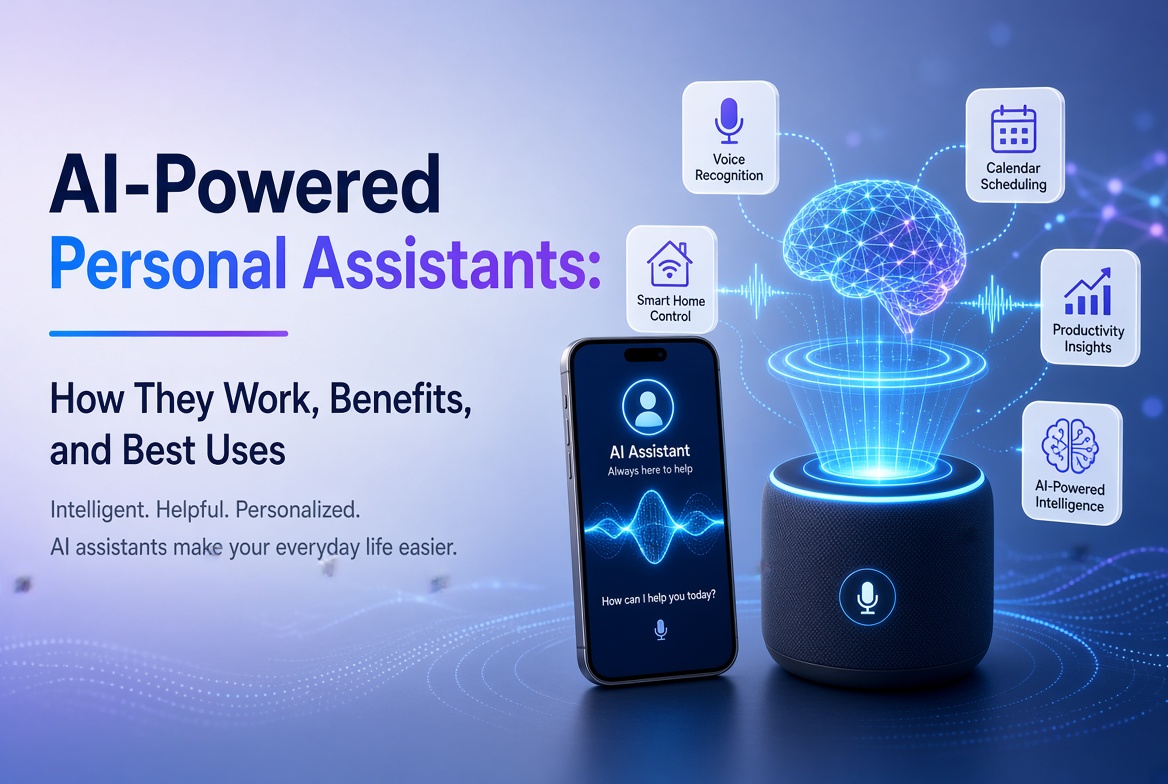
ปัญญาประดิษฐ์ได้พัฒนาจากเทคโนโลยีเฉพาะด้านมาเป็นแอปทั่วไปที่ผู้คนใช้ในการเขียน, วิจัย, เรียนรู้, ออกแบบ, เขียนโค้ด, จัดการประชุม และแก้ปัญหา ความท้าทายไม่ใช่การหาหน้าแอป AI อีกต่อไป แต่เป็นการเลือกแอปที่เหมาะสมสำหรับงานนั้น
ในคู่มือนี้เกี่ยวกับ แอป AI ที่ดีที่สุด ในปี 2026, เราจะเปรียบเทียบเครื่องมือที่ใช้งานได้จริงในหลากหลายกรณีการใช้งานแทนที่จะมองว่าแชทบอทแต่ละตัวเป็นสิ่งที่แทนที่กันได้ บางแอปเป็นผู้ช่วยทั่วไปที่ยอดเยี่ยม ในขณะที่แอปอื่น ๆ เหมาะสมกว่าสำหรับการวิจัยทางเว็บ, การเรียนรู้จากแหล่งข้อมูล, เนื้อหาภาพ, การเขียน, การประชุม, หรือการผลิตสร้างสรรค์
คำแนะนำของเรามุ่งเน้นที่ความมีประโยชน์, ความเหมาะสมกับการทำงาน, ความลึกของฟีเจอร์, ความสามารถในการใช้งาน, การสนับสนุนบนมือถือ, และความสามารถในการผลิตผลลัพธ์ที่ยังต้องการการตรวจสอบจากมนุษย์ที่มีเหตุผล ฟีเจอร์และขีดจำกัดแผนสามารถเปลี่ยนแปลงได้ ดังนั้นโปรดตรวจสอบข้อเสนอปัจจุบันของผู้ให้บริการก่อนสมัครสมาชิก
สารบัญ
- แอป AI คืออะไร?
- แอป AI ที่ดีที่สุดในภาพรวม
- 1. ChatGPT
- 2. Google Gemini
- 3. Claude
- 4. Perplexity
- 5. Microsoft 365 Copilot
- 6. NotebookLM
- 7. Canva
- 8. Adobe Firefly
- 9. Grammarly
- 10. Otter.ai
- วิธีการเลือกแอป AI ที่ดีที่สุด
- เคล็ดลับจากผู้เชี่ยวชาญ
- ข้อผิดพลาดทั่วไป
- คำถามที่พบบ่อย
- บทสรุป
แอป AI คืออะไร?
แอป AI คือแอปพลิเคชันซอฟต์แวร์ที่ใช้โมเดลปัญญาประดิษฐ์ในการตีความคำสั่ง, วิเคราะห์ข้อมูล, สร้างเนื้อหา, อัตโนมัติการทำงาน, หรือโต้ตอบกับผู้ใช้ผ่านภาษาธรรมชาติและข้อมูลป้อนอื่น ๆ.
แอป AI สมัยใหม่สามารถทำงานได้มากกว่าข้อความธรรมดา ขึ้นอยู่กับผลิตภัณฑ์ คุณอาจจะสามารถอัปโหลดเอกสาร, รูปภาพ, เสียง, สเปรดชีต, หรือไฟล์อื่น ๆ บางแอปยังสามารถค้นหาเว็บ, เชื่อมต่อกับบริการความสามารถ, สร้างภาพและวิดีโอ, สรุปการประชุม, หรือเปลี่ยนวัสดุการวิจัยให้เป็นทรัพยากรการเรียนรู้.
ดังนั้นแอป AI ที่มีประโยชน์ที่สุดจึงไม่จำเป็นต้องเป็นแอปที่มีโมเดลใหญ่ที่สุดหรือมีรายการคุณสมบัติที่ยาวที่สุด แต่เป็นแอปที่แก้ปัญหาที่เฉพาะเจาะจงของคุณได้อย่างมีประสิทธิภาพที่สุด.
แอป AI ที่ดีที่สุดในภาพรวม
| แอป AI | ดีที่สุดสำหรับ | จุดแข็งหลัก | ผู้ใช้ที่เหมาะสม |
|---|---|---|---|
| ChatGPT | ความช่วยเหลือทั่วไปจาก AI | การทำงานหลายรูปแบบที่กว้างขวาง | เกือบทุกคน |
| Google Gemini | ระบบนิเวศของ Google | การค้นหา, แอปพลิเคชันและความช่วยเหลือหลายรูปแบบ | ผู้ใช้ Google |
| Claude | การเขียนและการวิเคราะห์ | การให้เหตุผลและร่างที่แข็งแกร่ง | มืออาชีพและนักเขียน |
| Perplexity | การค้นหา AI | การวิจัยเว็บพร้อมเอกสารอ้างอิง | นักวิจัยและนักศึกษา |
| Microsoft 365 Copilot | ความสามารถในการทำงานสำนักงาน | การทำงานเนื้อหาและไฟล์ในที่ทำงาน | ผู้ใช้ Microsoft 365 |
| NotebookLM | การวิจัยอิงแหล่งข้อมูล | คำตอบที่ชัดเจนและเครื่องมือการศึกษา | นักเรียนและนักวิจัย |
| Canva | การออกแบบและเนื้อหาทางสังคม | การสร้างสรรค์ภาพด้วย AI | ผู้สร้างและนักการตลาด |
| Adobe Firefly | สื่อที่สร้างสรรค์ | การสร้าง/แก้ไขภาพและวิดีโอ | ผู้สร้างภาพ |
| Grammarly | การปรับปรุงการเขียน | การแก้ไข, โทนและการสนับสนุนการสื่อสาร | นักเขียนและมืออาชีพ |
| Otter.ai | การประชุมและการถอดความ | การบันทึก, การถอดความและสรุป | ทีมและนักเรียน |
1. ChatGPT
ดีที่สุดสำหรับ: การช่วยเหลือ AI ทั่วไป.
ChatGPT ยังคงเป็นหนึ่งในตัวเลือกที่แข็งแกร่งที่สุดเนื่องจากสามารถรองรับหลายกระบวนการทำงานจากส่วนติดต่อเดียว คุณสามารถใช้มันสำหรับการระดมสมอง การเขียน การสรุป การเรียนรู้ การเขียนโค้ด การวิเคราะห์ข้อมูล การวางแผน และงานเอกสาร
ประโยชน์ของมันมาจากความหลากหลาย แทนที่จะรักษาแอปแยกกันสำหรับแต่ละงานเล็กน้อย ผู้ใช้หลายคนสามารถจัดการกับการสร้างแนวคิด การแก้ไข การวิเคราะห์ และการแก้ปัญหาในบทสนทนาเดียว การอัปเดตแอปล่าสุดยังรวมถึงแผนภูมิแบบโต้ตอบและการปรับปรุงการทำงานในการเขียนยาว ทำให้ประสบการณ์มีความเป็นประโยชน์มากขึ้นสำหรับงานที่ต้องการการวิเคราะห์และเอกสารจำนวนมาก
ทำไม ChatGPT ถึงโดดเด่น
- การช่วยเหลือในการสนทนาแบบทั่วไปที่แข็งแกร่ง
- มีประโยชน์สำหรับการเขียน การเขียนโค้ด การสนับสนุนการวิจัย และการวิเคราะห์
- ทำงานกับประเภทข้อมูลหลายประเภทขึ้นอยู่กับแผนปัจจุบันและความพร้อมใช้งานของฟีเจอร์
- สามารถเปลี่ยนข้อมูลให้เป็นแผนภูมิและช่วยตีความข้อมูลที่มีโครงสร้าง
- มีประโยชน์สำหรับคำถามด่วนและโปรเจ็คที่ยาวขึ้น
ตัวเลือกที่ดีที่สุดหาก: คุณต้องการผู้ช่วย AI ที่สามารถจัดการงานต่างๆ มากมายได้มากกว่าที่จะเป็นเครื่องมือที่มุ่งเน้นเฉพาะด้าน
2. Google Gemini
ดีที่สุดสำหรับ: ผู้ที่ใช้ชีวิตภายในระบบนิเวศของ Google
Gemini มีความน่าสนใจโดยเฉพาะสำหรับผู้ใช้ Android และ Google Workspace แอพมือถือรองรับการโต้ตอบด้วยข้อความ เสียง รูปภาพ และกล้อง ขึ้นอยู่กับความพร้อมให้บริการ มันยังสามารถทำงานร่วมกับบริการต่างๆ เช่น Gmail, Google Drive, Maps และ Flights
การรวมเข้าด้วยกันในระบบนิเวศนี้คือข้อได้เปรียบหลัก แทนที่จะมองว่า AI เป็นจุดหมายแยกต่างหาก Gemini สามารถทำงานเหมือนผู้ช่วยที่เชื่อมต่อกับบริการที่คุณใช้อยู่แล้ว
ฟีเจอร์ที่มีประโยชน์ของ Gemini
- การเขียน การระดมความคิด และการช่วยเหลือในการเรียนรู้
- การสร้างภาพและการโต้ตอบแบบหลายช่องทาง
- การเชื่อมต่อกับบริการ Google ที่เลือกไว้
- การสนทนาด้วยเสียงและการช่วยเหลือ Android
- การสนับสนุนในการวางแผนงานที่เกี่ยวข้องกับ Google Maps และ Google Flights
Google เองเตือนว่า Gemini สามารถผลิตข้อมูลที่ไม่ถูกต้องได้ ดังนั้นข้อเรียกร้องที่สำคัญควรตรวจสอบแทนที่จะยอมรับโดยอัตโนมัติ
ตัวเลือกที่ดีที่สุดหาก: เวิร์กโฟลว์ประจำวันของคุณขึ้นอยู่กับ Android, Gmail, Drive, Maps, YouTube หรือบริการ Google อื่นๆ อย่างหนัก
3. Claude
ดีที่สุดสำหรับ: การเขียนเชิงยาว การวิเคราะห์ และการใช้เหตุผลอย่างรอบคอบ
Claude เป็นตัวเลือกที่แข็งแกร่งสำหรับผู้ใช้ที่ใช้เวลามากในการร่าง วิเคราะห์ จัดระเบียบข้อมูลที่ซับซ้อน หรือทำตามคำแนะนำที่ละเอียด มันมีประโยชน์โดยเฉพาะเมื่อคุณภาพของการใช้เหตุผลและการเขียนมีความสำคัญมากกว่าการได้คำตอบสั้นๆ
Claude สามารถช่วยอะไรได้บ้าง
- บทความเชิงยาวและรายงาน
- การวิเคราะห์เอกสารและการสรุปผล
- การระดมความคิดและการแก้ปัญหาอย่างเป็นระบบ
- การอธิบายโค้ดและการสนับสนุนการพัฒนา
- การแก้ไขเนื้อหาเพื่อความชัดเจน โครงสร้าง และโทนเสียง
เช่นเดียวกับระบบ AI ที่สร้างสรรค์ทุกระบบ Claude สามารถทำผิดพลาดในข้อเท็จจริงได้ ให้มองมันเป็นผู้ช่วยฉลาด ไม่ใช่อำนาจที่ไม่ผิดพลาด
ตัวเลือกที่ดีที่สุดหาก: งานของคุณเกี่ยวข้องกับการเขียน การวิเคราะห์ หรือคำแนะนำที่ซับซ้อนอย่างมีนัยสำคัญ
4. Perplexity
Best for: Web research and answer-driven search.
Perplexity takes a different approach from a traditional chatbot. It is designed around AI-powered search, returning conversational answers with citations and links to sources. That makes it useful when you need to investigate a topic rather than simply generate text.
Its research-oriented workflow can reduce the time spent opening many search results just to establish the basics of a topic. Users can also explore more advanced search and research modes, depending on their plan.
ทำไมเหล่านักวิจัยจึงชอบมัน
- Answers are designed around web search.
- Responses include citations and links for verification.
- Useful for discovering current information.
- Can support deeper research workflows.
- Provides access to different AI models in supported plans.
ตัวเลือกที่ดีที่สุดหาก: you regularly need current information and want citations close to the answer.
5. Microsoft 365 Copilot
Best for: Microsoft-based workplace productivity.
Microsoft 365 Copilot is built for people who already work with Microsoft productivity tools. The mobile and web experience can help users summarize information, create content, work with files, brainstorm, and use AI agents.
Its biggest advantage is workflow integration. For an organization already using Microsoft 365, an AI assistant that fits into the existing environment can be more valuable than a standalone chatbot.
กรณีการใช้งานที่ดี
- Summarizing workplace information.
- Drafting and improving business content.
- Working with files and documents.
- Brainstorming and planning.
- Using AI agents for repetitive productivity tasks.
ตัวเลือกที่ดีที่สุดหาก: your work revolves around Microsoft 365 and you want AI inside that ecosystem.
6. NotebookLM
Best for: Research, study and working from your own sources.
NotebookLM is one of the most distinctive AI research apps because it emphasizes source-grounded interaction. You can provide material such as PDFs, websites, YouTube videos, audio files, Google Docs, or Google Slides, then ask questions about the collected sources.
Google says NotebookLM provides inline citations and can transform source material into formats such as study guides, briefings, audio overviews, mind maps, flashcards, quizzes, infographics, and slide decks. The mobile app supports several of these workflows, although the company notes that the mobile experience does not yet contain every desktop feature.
ทำไม NotebookLM ถึงแตกต่าง
- Answers are grounded in the sources you provide.
- Citations make it easier to verify statements.
- Useful for studying and document-heavy research.
- Can turn source material into learning formats.
- Supports multiple source types.
ตัวเลือกที่ดีที่สุดหาก: you want an AI assistant that works primarily from a defined collection of documents and sources.
7. Canva
Best for: AI-assisted design, marketing and social media content.
Canva has evolved beyond a simple template-based design platform. Its AI features can help users turn prompts into designs, edit images, generate media, write copy, transform formats, and build content for different channels.
Canva’s 2026 AI direction is increasingly conversational and agentic. Canva AI 2.0 is designed to generate editable, layered designs from an idea or prompt and can coordinate workflows such as brand intelligence, web research, scheduling, connectors and Canva Code.
การทำงานร่วมกับ AI ของ Canva ที่มีประโยชน์
- Generate initial designs from prompts.
- Create and edit images with AI.
- Generate short visual content.
- Write and refine marketing copy.
- Resize and adapt content for multiple channels.
- Maintain brand consistency across designs.
ตัวเลือกที่ดีที่สุดหาก: you need social graphics, presentations, marketing materials or visual content without using complex professional design software.
8. Adobe Firefly
Best for: AI image and video creation.
Adobe Firefly is aimed at creators who want generative AI alongside professional creative workflows. Its mobile app supports image generation, video generation, prompt-based editing, generative fill and other AI-powered media features.
One advantage is its connection to Adobe’s broader creative ecosystem. Adobe also says the Firefly app can provide access to multiple AI models, allowing creators to choose among supported models for different creative tasks.
กรณีการใช้งานที่ดีที่สุดของ Firefly
- Generate concept images from text prompts.
- Turn still images into video clips.
- Remove or replace objects.
- Change backgrounds using natural-language instructions.
- Create sound effects and other media assets.
ตัวเลือกที่ดีที่สุดหาก: visual content is central to your work and you want a mobile AI creation tool connected to a professional creative ecosystem.
9. Grammarly
Best for: Improving everyday writing and communication.
Grammarly is more focused than general chatbots. Its strength is helping people communicate clearly across emails, documents, messages and other writing environments. It can identify grammar and punctuation problems, suggest clearer wording, adjust tone, and rewrite paragraphs.
Grammarly has also expanded into broader AI assistance and agents. Its current features include tools for proofreading, paraphrasing, reader reactions, writing support and other communication tasks.
ใครควรใช้ Grammarly?
- Business professionals writing emails and reports.
- Students improving clarity and grammar.
- Freelancers communicating with clients.
- Content creators polishing drafts.
- Teams that need consistent communication quality.
ตัวเลือกที่ดีที่สุดหาก: your main goal is to make existing writing clearer, more professional and easier to understand.
10. Otter.ai
Best for: Meetings, interviews and transcription.
Otter.ai is designed around spoken information. Its mobile apps can record conversations and transcribe them, while Otter’s meeting assistant can help automate meeting notes, summaries and follow-up workflows.
This makes it especially useful when the problem is not generating information but capturing information that already happened. Students can use it for lectures where appropriate, while professionals can use it for meetings, interviews and discussions.
การทำงานที่มีประโยชน์ของ Otter
- Record conversations on mobile.
- Transcribe meetings and interviews.
- Create summaries from captured discussions.
- Organize meeting information.
- Reduce the need for manual note-taking.
ตัวเลือกที่ดีที่สุดหาก: you regularly attend meetings or interviews and want AI to handle much of the note-taking process.
วิธีเลือกแอป AI ที่ดีที่สุดตามความต้องการของคุณ
There is no universal winner. Start with the task you perform most often.
สำหรับการเพิ่มประสิทธิภาพโดยทั่วไป
Choose ChatGPT or Gemini. Both can handle a wide range of questions, writing tasks, brainstorming and multimodal interactions. Gemini has a particularly strong case if you use Google’s ecosystem extensively.
สำหรับการวิจัย
Choose Perplexity when you want web-based research with citations. Choose NotebookLM when your work depends on a defined set of documents and you want answers grounded in those sources.
สำหรับการเขียน
Claude is a strong option for substantial drafting and analysis, while Grammarly is better suited to editing and improving writing inside everyday communication workflows.
สำหรับการออกแบบและการสร้างเนื้อหา
Canva is convenient for marketing graphics and multi-channel content. Adobe Firefly is more focused on generative visual media and AI-assisted creative production.
สำหรับการประชุม
Otter.ai is the more specialized choice because transcription and meeting capture are at the center of its workflow.
เคล็ดลับจากผู้เชี่ยวชาญเพื่อผลลัพธ์ที่ดีกว่าในการใช้แอป AI
- Define the outcome first. Tell the AI what a successful result should look like.
- Give context. Include your audience, goal, constraints, source material and preferred format.
- Use structured prompts. Ask for headings, tables, bullet points or a specific workflow when appropriate.
- Provide source material. For research-heavy tasks, give the model the documents or links it should prioritize.
- Iterate. Your first response is often a draft. Ask for refinement instead of starting from zero.
- Verify important claims. Check statistics, quotations, legal information, financial information and other high-impact facts.
- Protect sensitive data. Avoid uploading confidential business information, passwords, private customer records or other data unless you understand the app’s data controls.
- Measure time saved. The best AI app is the one that improves your workflow, not the one with the longest feature list.
ข้อผิดพลาดทั่วไปที่ควรหลีกเลี่ยง
เลือกแอปเพียงเพราะมันเป็นที่นิยม
Popularity does not guarantee that an app fits your workflow. A specialized transcription or research app can be more useful than a general chatbot for a specific task.
เชื่อถือคำตอบของ AI ทุกคำ
Generative AI can produce confident but incorrect statements. Citations, source checking and human judgment remain important.
การใช้แอป AI มากเกินไป
Subscribing to six or seven overlapping tools can create unnecessary costs and fragmented workflows. Start with one general assistant and add specialized apps only when they solve a clear problem.
การไม่สนใจการตั้งค่าความเป็นส่วนตัว
Before uploading sensitive files, understand how the service stores, processes and protects your information. Business and enterprise plans may offer different controls from consumer plans.
การเผยแพร่เนื้อหาที่สร้างโดย AI โดยไม่แก้ไข
AI can accelerate content production, but it does not replace editorial judgment. Review facts, improve examples, add original insights and make sure the final work genuinely helps the reader.
คำถามที่พบบ่อยเกี่ยวกับแอป AI ที่ดีที่สุด
1. แอป AI ที่ดีที่สุดโดยรวมคืออะไร?
For general-purpose use, ChatGPT is one of the strongest all-around choices because it supports a broad range of tasks. However, the best app depends on your needs. Gemini may be better for Google users, Perplexity for web research, and NotebookLM for source-based research.
2. แอป AI ฟรีที่ดีที่สุดคืออะไร?
Several leading AI apps offer free access with limits. ChatGPT, Gemini, Perplexity, Canva and Grammarly all provide ways to try AI features without immediately purchasing a premium plan. Free limits and features can change, so check the current provider terms.
3. แอป AI ที่ดีที่สุดสำหรับนักเรียนคืออะไร?
NotebookLM is particularly useful for students working from lecture notes, PDFs and other source material. Gemini and ChatGPT can also help explain concepts, brainstorm and create study materials. Students should use AI as a learning aid rather than a substitute for understanding the material.
4. แอป AI ที่ดีที่สุดสำหรับการวิจัยคืออะไร?
Perplexity is a strong choice for current web research because its answers include citations and links. NotebookLM is better when you want to research a defined collection of documents and ask questions about those sources.
5. แอป AI ที่ดีที่สุดสำหรับการเขียนคืออะไร?
Claude and ChatGPT are strong general writing assistants. Grammarly is particularly useful when your goal is to improve an existing draft, correct errors, refine tone or make communication clearer.
6. แอป AI ที่ดีที่สุดสำหรับการสร้างภาพคืออะไร?
Adobe Firefly is a strong choice for AI image and video creation, while Canva is convenient when you want to combine AI-generated visuals with layouts, presentations and social media designs.
7. แพลตฟอร์ม AI สามารถแทนที่การทำงานของมนุษย์ได้หรือไม่?
AI apps can automate parts of many jobs, but they do not reliably replace human judgment, accountability, domain expertise and communication. In practice, the strongest workflow often combines AI speed with human review and decision-making.
8. ควรเสียเงินสำหรับแอป AI หลายตัวหรือไม่?
Only if each subscription provides a clear benefit. Start with one general AI assistant, then add specialized services when they save enough time or improve quality enough to justify their cost.
บทสรุป
The best AI apps in 2026 are not simply chatbots with different logos. They are becoming specialized workspaces for research, writing, design, meetings, productivity and creative production.
ChatGPT is a strong all-purpose assistant. Gemini is especially useful inside Google’s ecosystem. Claude is well suited to writing and analysis. Perplexity focuses on AI-powered web research. Microsoft 365 Copilot brings AI into workplace productivity. NotebookLM is excellent for source-grounded research and learning. Canva and Adobe Firefly cover visual creation, while Grammarly and Otter.ai solve more focused communication and meeting problems.
The smartest approach is to choose based on your workflow. Identify the task that consumes the most time, select the AI app that addresses it, and then measure the result. AI should reduce friction and improve the quality of your work, not simply add another subscription to your monthly expenses.
การเรียกร้องให้ดำเนินการ
Ready to improve your workflow with AI? Start with one app from this list, test it on a real task this week, and track how much time it saves. Once you know what works, add specialized AI tools only where they provide a measurable advantage.
Editorial note: AI features, pricing, availability and usage limits can change frequently. Always check the official provider documentation before making a purchasing or business decision.