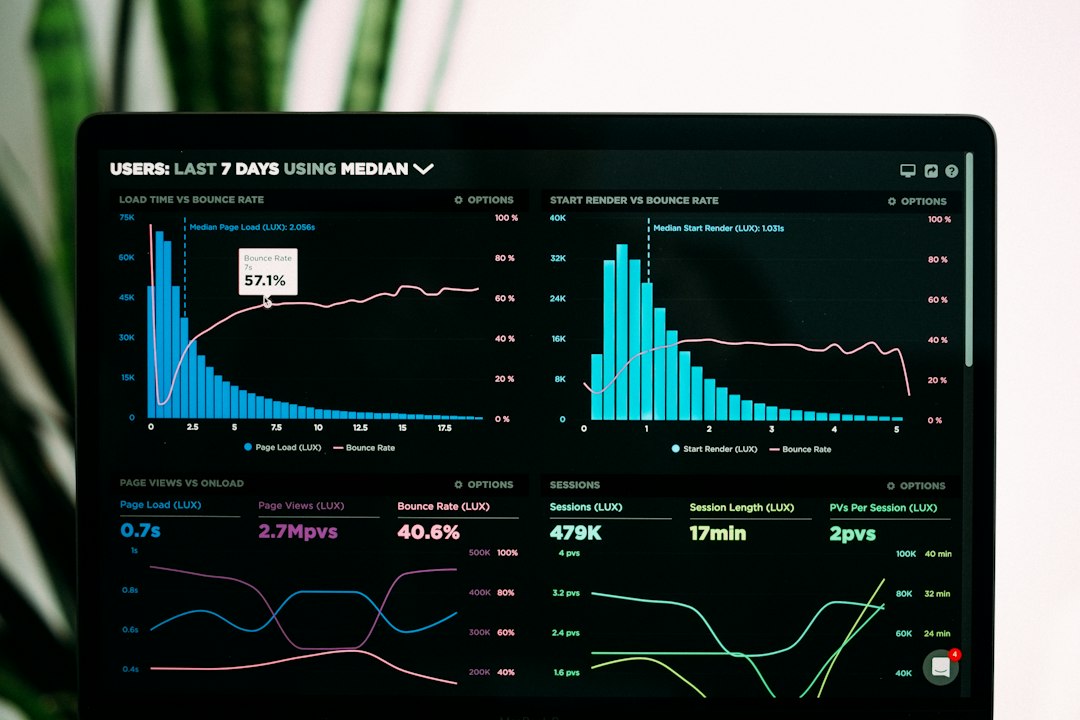
In today’s digital landscape, website speed is no longer just a technical consideration—it is a critical business factor. Whether you operate a personal blog, an eCommerce store, a corporate website, or a news platform, your visitors expect pages to load almost instantly. Studies consistently show that users abandon slow-loading websites within seconds, resulting in lost traffic, reduced sales, and lower search engine rankings.
Website speed optimization refers to the process of improving the performance of your website so pages load faster while consuming fewer server resources. Faster websites provide a better user experience, achieve higher search engine rankings, reduce bounce rates, and increase conversions.
This comprehensive guide explains everything you need to know about website speed optimization, including why it matters, the factors affecting performance, and practical strategies to dramatically improve your website’s loading speed.
Why Website Speed Matters
A slow website negatively impacts every aspect of your online presence.
Better User Experience
Modern internet users expect websites to load in less than three seconds. Every additional second increases frustration and causes visitors to leave before engaging with your content.
Fast websites offer:
- Smooth navigation
- Better mobile experience
- Higher user satisfaction
- Increased page views
- Longer session durations
Improved Search Engine Rankings
Google considers page speed as an important ranking factor, especially for mobile searches.
Fast websites typically enjoy:
- Higher rankings
- Better Core Web Vitals scores
- Increased organic traffic
- Improved crawl efficiency
- Greater search visibility
Higher Conversion Rates
Website speed directly affects revenue.
Research shows that even a one-second improvement can significantly increase:
- Online sales
- Lead generation
- Newsletter signups
- Ad revenue
- Customer retention
A faster checkout process also reduces abandoned shopping carts.
Understanding Core Web Vitals
Google introduced Core Web Vitals to measure real-world user experience.
Largest Contentful Paint (LCP)
Measures how quickly the largest visible content loads.
Target:
Interaction to Next Paint (INP)
Measures how responsive your website is when users interact.
Target:
Cumulative Layout Shift (CLS)
Measures visual stability.
Target:
Unexpected page movement creates poor user experiences and lowers quality scores.
Common Causes of Slow Websites
Many websites become slow due to multiple combined issues.
Common problems include:
- Large image files
- Too many plugins
- Poor hosting
- Heavy JavaScript
- Unoptimized CSS
- Slow database queries
- No caching
- Too many HTTP requests
- Lack of Content Delivery Network (CDN)
- Render-blocking resources
Fortunately, each of these issues can be optimized.
Optimize Images
Images usually account for the largest portion of page size.
Best practices include:
- Compress images before uploading.
- Use modern formats like WebP or AVIF.
- Resize images appropriately.
- Enable lazy loading.
- Avoid uploading oversized images.
Instead of uploading a 5MB photo directly from your camera, compress it to under 200KB whenever possible.
Enable Browser Caching
Browser caching stores website files on visitors’ devices.
When users return, their browsers load cached resources instead of downloading everything again.
Benefits include:
- Faster repeat visits
- Reduced server load
- Improved page speed
Minify CSS, JavaScript, and HTML
Minification removes unnecessary characters from code.
Examples include:
- Removing spaces
- Removing comments
- Shortening variable names
- Eliminating redundant code
This reduces file sizes significantly.
Popular optimization plugins perform this automatically.
Combine Files
Older websites often load dozens of CSS and JavaScript files.
Combining multiple files reduces HTTP requests.
Although HTTP/2 has reduced the need for combining files, minimizing requests still improves performance in many situations.
Enable GZIP or Brotli Compression
Compression dramatically reduces the size of website files before sending them to visitors.
Benefits include:
- Smaller downloads
- Faster page loading
- Reduced bandwidth usage
Most modern web servers support Brotli, which generally performs better than GZIP.
Use a Content Delivery Network (CDN)
A CDN stores copies of your website on servers worldwide.
Visitors download files from the nearest location rather than your primary server.
Advantages include:
- Faster global performance
- Reduced latency
- Improved security
- Lower hosting load
- Better scalability
Upgrade Your Hosting
Cheap shared hosting often becomes the biggest bottleneck.
Consider upgrading to:
- Managed WordPress hosting
- VPS hosting
- Cloud hosting
- Dedicated servers
Quality hosting dramatically improves response time.
Optimize Your Database
Over time, databases collect unnecessary data including:
- Post revisions
- Spam comments
- Expired transients
- Temporary tables
Regular database optimization improves query speed and reduces server workload.
Reduce Plugin Usage
Every plugin adds additional processing.
Only keep plugins that provide real value.
Regularly:
- Delete inactive plugins
- Remove abandoned plugins
- Replace multiple plugins with one efficient solution
Quality matters more than quantity.
Implement Lazy Loading
Lazy loading delays loading images and videos until they become visible.
Benefits include:
- Smaller initial page size
- Faster first paint
- Reduced bandwidth usage
- Better mobile performance
Modern browsers support native lazy loading.
Optimize Fonts
Custom fonts can slow websites.
Best practices include:
- Limit font families
- Limit font weights
- Preload critical fonts
- Use WOFF2 format
- Remove unused fonts
System fonts are often the fastest option.
Remove Render-Blocking Resources
CSS and JavaScript can prevent pages from displaying until downloads complete.
Solutions include:
- Inline critical CSS
- Defer JavaScript
- Load scripts asynchronously
- Delay non-essential scripts
This greatly improves perceived loading speed.
Reduce HTTP Requests
Each webpage element creates additional requests.
Reduce unnecessary requests by:
- Combining icons into sprites
- Removing unused libraries
- Limiting third-party widgets
- Optimizing themes
Fewer requests generally mean faster pages.
Optimize Videos
Videos consume significant bandwidth.
Recommendations:
- Embed videos from external platforms when appropriate.
- Compress self-hosted videos.
- Use lazy loading.
- Display thumbnails before playback.
Avoid autoplay whenever possible.
Improve Mobile Performance
Most web traffic now comes from smartphones.
Ensure your website:
- Uses responsive design
- Loads quickly on 4G and 5G
- Has touch-friendly navigation
- Avoids oversized images
- Uses lightweight layouts
Mobile optimization is essential for SEO.
Monitor Website Performance
Regular testing helps identify new issues.
Key metrics include:
- Page load time
- Time to First Byte (TTFB)
- Core Web Vitals
- Total page size
- Number of requests
Performance should be monitored after every major website update.
Security and Performance
Security also affects speed.
Recommendations include:
- Enable HTTPS
- Keep software updated
- Use firewall protection
- Block malicious bots
- Prevent brute-force attacks
A secure website generally performs more efficiently.
Speed Optimization for WordPress
WordPress powers millions of websites but requires proper optimization.
Best practices include:
- Use lightweight themes
- Enable caching
- Optimize images
- Minify assets
- Clean the database
- Update plugins regularly
- Remove unused themes
- Limit external scripts
Premium caching plugins can automate many optimization tasks.
Common Website Speed Mistakes
Avoid these mistakes:
- Uploading huge images
- Installing too many plugins
- Using outdated PHP versions
- Ignoring caching
- Choosing cheap hosting
- Loading excessive advertisements
- Using multiple page builders unnecessarily
- Leaving broken scripts
Fixing these issues often results in immediate improvements.
Website Speed Optimization Checklist
Before launching your website, verify that you have:
- Optimized all images
- Enabled browser caching
- Activated compression
- Minified CSS and JavaScript
- Reduced HTTP requests
- Optimized your database
- Enabled lazy loading
- Chosen quality hosting
- Configured a CDN
- Improved Core Web Vitals
- Removed unused plugins
- Updated PHP
- Tested mobile performance
- Secured your website with HTTPS
Completing this checklist significantly improves overall website performance.
Future Trends in Website Performance
Website optimization continues to evolve.
Emerging trends include:
- AI-powered optimization
- HTTP/3 adoption
- Edge computing
- Smarter caching algorithms
- AVIF image adoption
- Improved browser rendering
- Serverless architecture
- Automated performance monitoring
Businesses that embrace these technologies will enjoy faster, more reliable websites.
Conclusion
Website speed optimization is one of the highest-return investments you can make for your online presence. Faster websites provide superior user experiences, rank higher in search engines, increase conversions, reduce bounce rates, and improve customer satisfaction.
Optimization is not a one-time task but an ongoing process. Regular performance audits, software updates, image optimization, caching improvements, and infrastructure upgrades ensure your website remains competitive in an increasingly fast-paced digital world.
Whether you manage a small blog or a large enterprise platform, implementing the strategies outlined in this guide will help create a lightning-fast website that delights visitors, satisfies search engines, and supports long-term business growth.
By prioritizing website speed today, you build a stronger foundation for better SEO, higher engagement, and greater online success tomorrow.